Consulting group WordPress Theme



Edit Template Offline
2. Create new page and search for id 750549
Edit Template Online
Create Awesome Websites


Free Nicepage Builder
Keywords
Service and Editorial Areas Support WordPress Content Planning
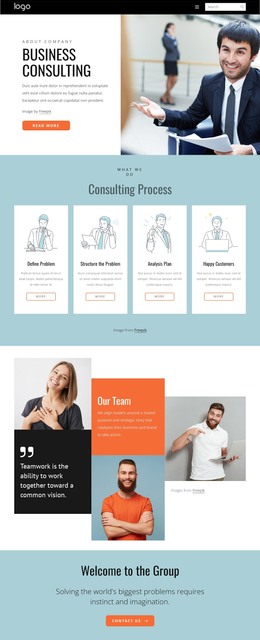
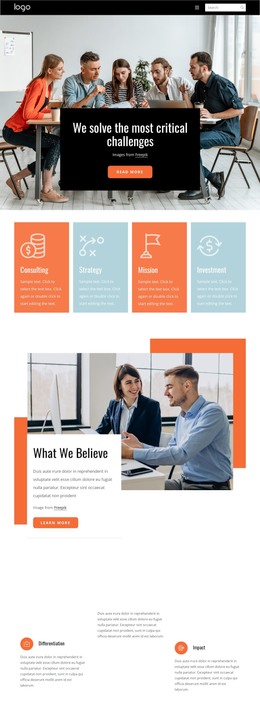
The design separates permanent consulting information into recognizable page areas that can be planned within a WordPress content environment. Business Consulting is the primary introduction, while IT Consulting provides a distinct service area with overlapping photographs, supporting copy, and a Read more action. The four illustrated process cards create a repeatable content pattern around Define Problem, Structure the Problem, Analysis Plan, and Happy Customers. Their structure could support consistently presented service guidance, but the sample wording remains demonstration content.
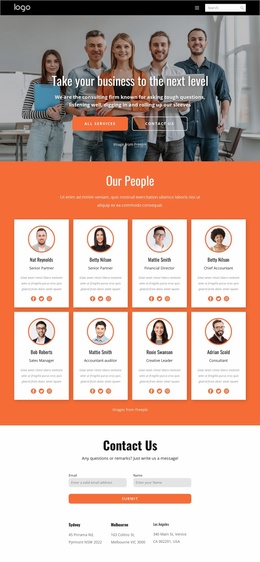
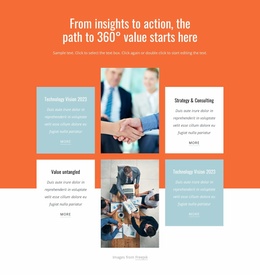
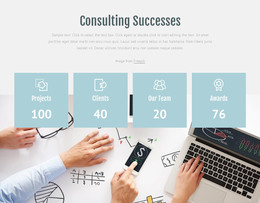
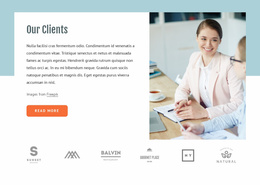
The people and client sections offer a different editorial emphasis. Our Team combines portraits with a collaboration quote, and Our Clients joins explanatory text and a photograph with six repeated client marks. About Us adds six numbered entries beside a central card, giving the design a place for company information that is separate from service descriptions. The four metric cards under Consulting Successes can present verified project information later, although the displayed sample values must not be treated as real achievements.
The Contact Us section closes the page with a name-and-email form, Submit action, and location entries for Sydney, Melbourne, and Los Angeles. These permanent page areas can remain part of the theme’s visual system while regularly updated consulting content is added around them. WordPress adaptation should therefore be understood as a mapping of this design’s service, company, client, and contact regions to managed content—not as evidence that posts, categories, or WordPress-specific structures already exist.
Customize with Nicepage
Open this ready-made template in the WordPress Website Builder and customize it visually in the Nicepage editor. Replace demo content, edit page sections, and adapt the design to your project without rebuilding the template from scratch.
Manage and Edit This Theme in WordPress
Customize and Install the WordPress Theme
Start with this ready-made theme instead of building the WordPress design from scratch. Customize its layout, content, typography, images, sections, and other design elements visually in Nicepage editor, then export and install the WordPress Theme, Plugin, and Pages on your WordPress site. The Nicepage WordPress Plugin lets you continue working with the site after installation.
Edit the Theme Directly in WordPress
After installation, you can edit the WordPress Theme directly in WordPress with the Nicepage WordPress Plugin. Use Site Style to customize site Colors, Fonts, Header, Footer, Blog, and Post Page Templates while working within your WordPress website.
Edit WordPress Pages Visually
Use the Nicepage WordPress Plugin to edit page content directly from the WordPress admin area. Open a WordPress Page with Nicepage and visually change its text, images, sections, and other page elements while continuing to manage the Page through WordPress.
WordPress Content and Theme Integration
Use the customized theme with WordPress Pages, Posts, Blog and Post Templates, menus, widgets, and other CMS-managed content. Shared theme elements such as Colors, Fonts, Header, Footer, Blog, and Post Page Templates can be managed as part of the overall site design, while WordPress provides the CMS environment for managing site content.
This workflow combines a ready-made WordPress Theme with visual customization, direct theme editing in WordPress, and continued content management through the Nicepage WordPress Plugin.