Contact form on abstract shapes WordPress Theme


Stable contact content fits naturally into a WordPress page region
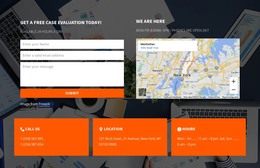
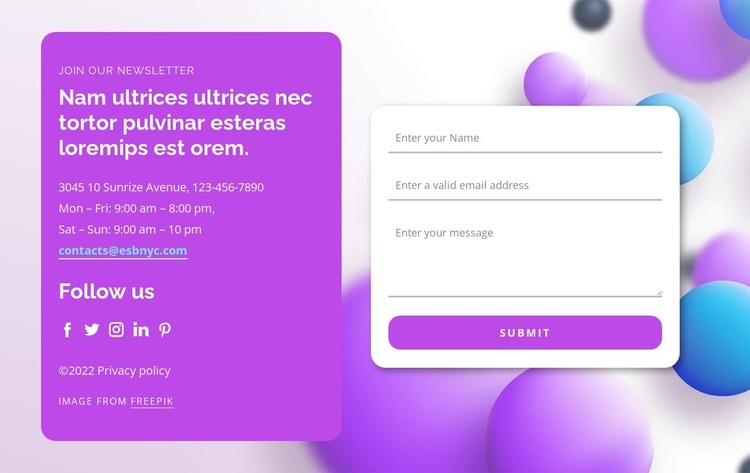
The section reads as durable page content rather than a stream of time-sensitive entries. “Join our newsletter” introduces the contact purpose, while the purple panel keeps contact details and five social links under “Follow us” together as one reference area. The adjacent white rounded card presents the visitor-facing interaction through name, email, and message inputs and a visible Submit control. This division gives a WordPress-managed page a clear content region with both information and response functions.
The sample address, phone, hours, and email illustrate the fields that belong in the information panel; they should be replaced with the site’s own details. Likewise, the newsletter wording can remain or be adjusted according to the page’s actual communication goal. The underlying section pattern remains useful because its content is organized around a stable contact purpose rather than an assumed blog, category, or post structure.
In a broader WordPress project, the block can sit on a permanent contact, inquiry, or subscription-oriented page while other CMS-managed content surrounds it. The abstract background and purple-white surface contrast preserve a recognizable design direction, but the section remains one page-content area. Its value lies in keeping contact context, social access, and form submission visually coordinated.
Customize with Nicepage
Open this ready-made template in the WordPress Website Builder and customize it visually in the Nicepage editor. Replace demo content, edit page sections, and adapt the design to your project without rebuilding the template from scratch.
Edit Template Offline
2. Create a new page or select existing
3. Click Add new block, search for id 1285303 and click enter
Edit Template Online
Create Awesome Websites


Free Nicepage Builder
Keywords
Manage and Edit This Theme in WordPress
Customize and Install the WordPress Theme
Start with this ready-made theme instead of building the WordPress design from scratch. Customize its layout, content, typography, images, sections, and other design elements visually in Nicepage editor, then export and install the WordPress Theme, Plugin, and Pages on your WordPress site. The Nicepage WordPress Plugin lets you continue working with the site after installation.
Edit the Theme Directly in WordPress
After installation, you can edit the WordPress Theme directly in WordPress with the Nicepage WordPress Plugin. Use Site Style to customize site Colors, Fonts, Header, Footer, Blog, and Post Page Templates while working within your WordPress website.
Edit WordPress Pages Visually
Use the Nicepage WordPress Plugin to edit page content directly from the WordPress admin area. Open a WordPress Page with Nicepage and visually change its text, images, sections, and other page elements while continuing to manage the Page through WordPress.
WordPress Content and Theme Integration
Use the customized theme with WordPress Pages, Posts, Blog and Post Templates, menus, widgets, and other CMS-managed content. Shared theme elements such as Colors, Fonts, Header, Footer, Blog, and Post Page Templates can be managed as part of the overall site design, while WordPress provides the CMS environment for managing site content.
This workflow combines a ready-made WordPress Theme with visual customization, direct theme editing in WordPress, and continued content management through the Nicepage WordPress Plugin.