Strategic transformation WordPress Theme


Stable Testimonial Content for a WordPress-Managed Page
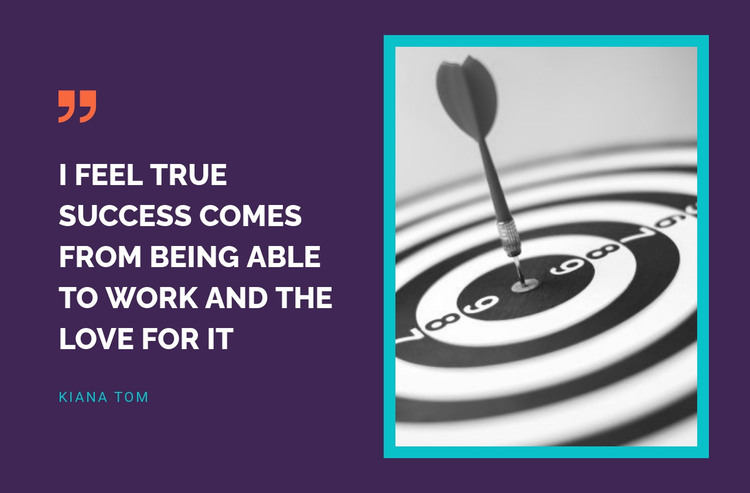
The left side of this section reads as stable page content: one substantial testimonial statement with a clear speaker attribution. The quote, “I feel true success comes from being able to work and the love for it,” supplies the central message, while Kiana Tom identifies its speaker. This makes the block suitable for a services, about, or business-content page where a personal perspective can remain part of the page’s ongoing presentation rather than functioning as a time-sensitive list of entries.
The visual treatment keeps that content distinct. A decorative quotation mark introduces the statement, strong left alignment supports straightforward reading, and the deep purple background creates a consistent field behind both columns. On the right, the monochrome dartboard image provides a separate visual anchor. Its thick cyan frame connects it to the cyan speaker accent and balances the white quote without changing the section’s simple content model. Orange adds a secondary point of contrast.
Within a WordPress-managed project, this block can occupy a permanent testimonial or inspirational content area while other page content is maintained around it. It can follow an explanation of services or results and precede a contact or next-step section, giving the page a recognizable voice. The block remains a reusable section rather than a complete theme. WordPress supplies the broader publishing context; the design preserves the attributed quote, framed image, and split arrangement as one coherent page-content unit.
Customize with Nicepage
Open this ready-made template in the WordPress Website Builder and customize it visually in the Nicepage editor. Replace demo content, edit page sections, and adapt the design to your project without rebuilding the template from scratch.
Edit Template Offline
2. Create a new page or select existing
3. Click Add new block, search for id 50788 and click enter
Edit Template Online
Create Awesome Websites


Free Nicepage Builder
Keywords
Manage and Edit This Theme in WordPress
Customize and Install the WordPress Theme
Start with this ready-made theme instead of building the WordPress design from scratch. Customize its layout, content, typography, images, sections, and other design elements visually in Nicepage editor, then export and install the WordPress Theme, Plugin, and Pages on your WordPress site. The Nicepage WordPress Plugin lets you continue working with the site after installation.
Edit the Theme Directly in WordPress
After installation, you can edit the WordPress Theme directly in WordPress with the Nicepage WordPress Plugin. Use Site Style to customize site Colors, Fonts, Header, Footer, Blog, and Post Page Templates while working within your WordPress website.
Edit WordPress Pages Visually
Use the Nicepage WordPress Plugin to edit page content directly from the WordPress admin area. Open a WordPress Page with Nicepage and visually change its text, images, sections, and other page elements while continuing to manage the Page through WordPress.
WordPress Content and Theme Integration
Use the customized theme with WordPress Pages, Posts, Blog and Post Templates, menus, widgets, and other CMS-managed content. Shared theme elements such as Colors, Fonts, Header, Footer, Blog, and Post Page Templates can be managed as part of the overall site design, while WordPress provides the CMS environment for managing site content.
This workflow combines a ready-made WordPress Theme with visual customization, direct theme editing in WordPress, and continued content management through the Nicepage WordPress Plugin.