Pace Of Change WordPress Theme


Edit Template Offline
2. Create new page and search for id 4945615
Edit Template Online
Create Awesome Websites


Free Nicepage Builder
Keywords
Repeatable Project Content Anchors the Theme Structure
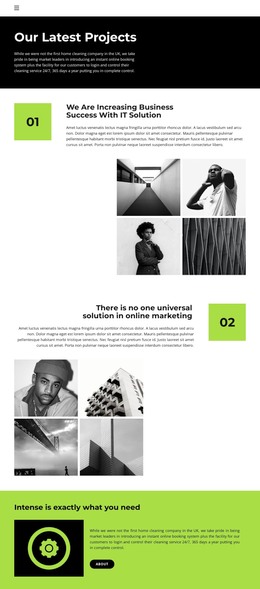
The three numbered showcases provide the strongest content relationship for a WordPress-oriented implementation. Each project area combines a heading, supporting description, and four monochrome images, creating a repeatable presentation for project entries or other publishable examples. The repeated structure is important because it separates the content of each project from the shared visual treatment. New project information can follow the same pattern while the black, white, and bright lime-green direction remains recognizable across the page.
The navigation and supporting regions give that project content a wider site context. Home and About links appear in the compact header, and the lime-green statement band introduces a short company or service message with an About action. The final section changes the content role again by inviting visitors to receive new articles, videos, and event information. Its name and email controls create a clear communication area that can sit alongside permanent project content without competing with the galleries.
This combination makes Pace Of Change suitable as a WordPress Theme interpretation when a site needs both visual project presentation and content that can grow over time. The verified design does not establish a blog or specific post structure, so those should not be assumed as existing elements. Instead, the page offers a stable visual system for project information, About content, navigation, and subscription-oriented communication, with the repeated galleries supplying the central organizing pattern.
Customize with Nicepage
Open this ready-made template in the WordPress Website Builder and customize it visually in the Nicepage editor. Replace demo content, edit page sections, and adapt the design to your project without rebuilding the template from scratch.
Manage and Edit This Theme in WordPress
Customize and Install the WordPress Theme
Start with this ready-made theme instead of building the WordPress design from scratch. Customize its layout, content, typography, images, sections, and other design elements visually in Nicepage editor, then export and install the WordPress Theme, Plugin, and Pages on your WordPress site. The Nicepage WordPress Plugin lets you continue working with the site after installation.
Edit the Theme Directly in WordPress
After installation, you can edit the WordPress Theme directly in WordPress with the Nicepage WordPress Plugin. Use Site Style to customize site Colors, Fonts, Header, Footer, Blog, and Post Page Templates while working within your WordPress website.
Edit WordPress Pages Visually
Use the Nicepage WordPress Plugin to edit page content directly from the WordPress admin area. Open a WordPress Page with Nicepage and visually change its text, images, sections, and other page elements while continuing to manage the Page through WordPress.
WordPress Content and Theme Integration
Use the customized theme with WordPress Pages, Posts, Blog and Post Templates, menus, widgets, and other CMS-managed content. Shared theme elements such as Colors, Fonts, Header, Footer, Blog, and Post Page Templates can be managed as part of the overall site design, while WordPress provides the CMS environment for managing site content.
This workflow combines a ready-made WordPress Theme with visual customization, direct theme editing in WordPress, and continued content management through the Nicepage WordPress Plugin.