Join Sponsorship WordPress Theme


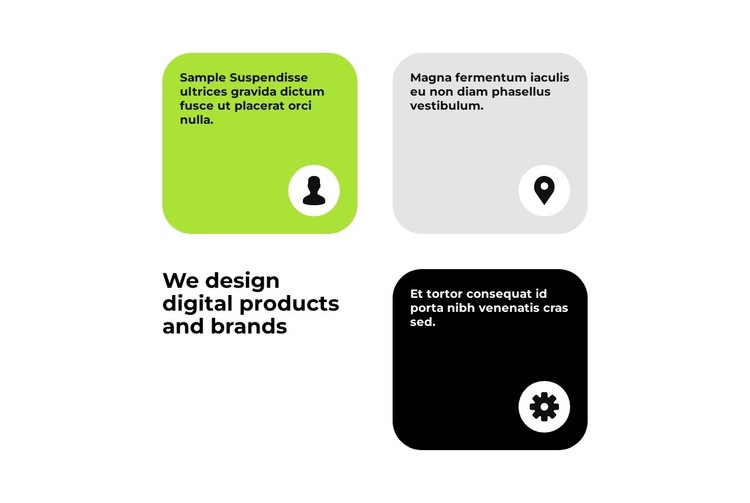
The Heading and Three Cards Form Stable WordPress Page Content
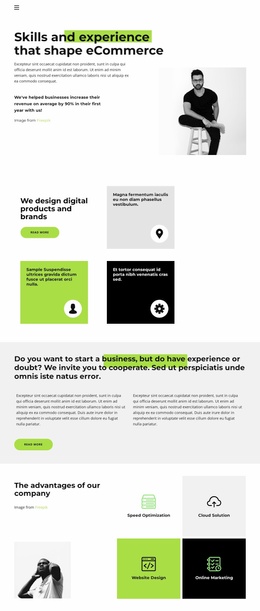
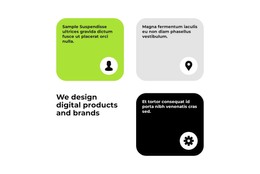
The heading “We design digital products and brands” gives this section a clear subject for permanent page content, while the three cards divide the supporting message into separate capability areas. Their sample text can be replaced with project-specific descriptions in a WordPress-managed page without changing the block’s main visual relationship. The repeated circular icon areas provide a consistent cue across the three content units, even when the card surfaces use different colors.
The asymmetric grid also gives the section a defined place within a broader page. Two cards sit across the upper row, the third occupies the lower-right position, and the heading balances the composition from the lower-left area. Green, light gray, and black rounded cards make the units easy to scan, while bold black typography keeps the main statement ahead of the shorter supporting copy. Generous white space prevents the feature group from reading like a dense list.
In a WordPress Theme context, this block can participate as a reusable design section on a services, capabilities, or offering page. The surrounding WordPress project can provide other content areas and publishing structures, while this section preserves its focused heading-and-card arrangement. Its stable content role makes it suitable for a page that needs to explain several related capabilities without turning the block itself into a complete theme or website.
Customize with Nicepage
Open this ready-made template in the WordPress Website Builder and customize it visually in the Nicepage editor. Replace demo content, edit page sections, and adapt the design to your project without rebuilding the template from scratch.
Edit Template Offline
2. Create a new page or select existing
3. Click Add new block, search for id 3107135 and click enter
Edit Template Online
Create Awesome Websites


Free Nicepage Builder
Keywords
Manage and Edit This Theme in WordPress
Customize and Install the WordPress Theme
Start with this ready-made theme instead of building the WordPress design from scratch. Customize its layout, content, typography, images, sections, and other design elements visually in Nicepage editor, then export and install the WordPress Theme, Plugin, and Pages on your WordPress site. The Nicepage WordPress Plugin lets you continue working with the site after installation.
Edit the Theme Directly in WordPress
After installation, you can edit the WordPress Theme directly in WordPress with the Nicepage WordPress Plugin. Use Site Style to customize site Colors, Fonts, Header, Footer, Blog, and Post Page Templates while working within your WordPress website.
Edit WordPress Pages Visually
Use the Nicepage WordPress Plugin to edit page content directly from the WordPress admin area. Open a WordPress Page with Nicepage and visually change its text, images, sections, and other page elements while continuing to manage the Page through WordPress.
WordPress Content and Theme Integration
Use the customized theme with WordPress Pages, Posts, Blog and Post Templates, menus, widgets, and other CMS-managed content. Shared theme elements such as Colors, Fonts, Header, Footer, Blog, and Post Page Templates can be managed as part of the overall site design, while WordPress provides the CMS environment for managing site content.
This workflow combines a ready-made WordPress Theme with visual customization, direct theme editing in WordPress, and continued content management through the Nicepage WordPress Plugin.