Few reviews WordPress Theme


Portrait-led reviews form stable WordPress page content
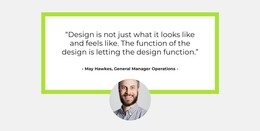
Each card presents a small, self-contained review unit: a circular portrait establishes the visual identity of the speaker, the name provides a label, and the testimonial passage supplies the supporting message. The lime-green arrow accent adds a repeated directional motif, while the thick border separates each white card from the surrounding whitespace. With two matching cards aligned in one horizontal row, the block offers a concise way to keep related testimonials together.
For a WordPress-managed page, this section can work as stable testimonial content alongside other permanent information. Its structure is more suited to a focused review area than to an ongoing list of posts: the two visible items share one layout and one visual treatment, and the block does not include a confirmed feed, filter, or carousel. A site project can place it near service, portfolio, or contact content while keeping the section itself limited to its testimonial role.
The grayscale portraits balance the vivid lime-green borders and arrow accents, giving the review cards a consistent identity that can remain recognizable when the surrounding page changes. The displayed names and sample passages can be replaced with the project’s own content in WordPress, while the portrait-to-text relationship and two-card composition remain intact. This makes the block a reusable page section within a WordPress site rather than a standalone theme.
Customize with Nicepage
Open this ready-made template in the WordPress Website Builder and customize it visually in the Nicepage editor. Replace demo content, edit page sections, and adapt the design to your project without rebuilding the template from scratch.
Edit Template Offline
2. Create a new page or select existing
3. Click Add new block, search for id 3107654 and click enter
Edit Template Online
Create Awesome Websites


Free Nicepage Builder
Keywords
Manage and Edit This Theme in WordPress
Customize and Install the WordPress Theme
Start with this ready-made theme instead of building the WordPress design from scratch. Customize its layout, content, typography, images, sections, and other design elements visually in Nicepage editor, then export and install the WordPress Theme, Plugin, and Pages on your WordPress site. The Nicepage WordPress Plugin lets you continue working with the site after installation.
Edit the Theme Directly in WordPress
After installation, you can edit the WordPress Theme directly in WordPress with the Nicepage WordPress Plugin. Use Site Style to customize site Colors, Fonts, Header, Footer, Blog, and Post Page Templates while working within your WordPress website.
Edit WordPress Pages Visually
Use the Nicepage WordPress Plugin to edit page content directly from the WordPress admin area. Open a WordPress Page with Nicepage and visually change its text, images, sections, and other page elements while continuing to manage the Page through WordPress.
WordPress Content and Theme Integration
Use the customized theme with WordPress Pages, Posts, Blog and Post Templates, menus, widgets, and other CMS-managed content. Shared theme elements such as Colors, Fonts, Header, Footer, Blog, and Post Page Templates can be managed as part of the overall site design, while WordPress provides the CMS environment for managing site content.
This workflow combines a ready-made WordPress Theme with visual customization, direct theme editing in WordPress, and continued content management through the Nicepage WordPress Plugin.