Camping vacation WordPress Theme



A Stable Travel Content Area for Destination Pages
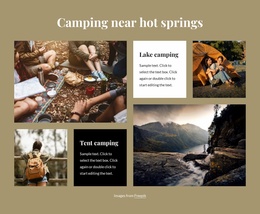
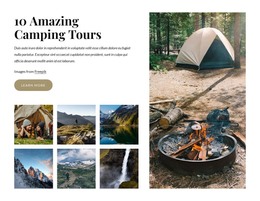
The gallery reads as stable page content because it groups six getaway choices under one clear heading rather than presenting a time-sensitive feed or an isolated promotional message. Beach stays, Camping near hot springs, and Lake camping provide broad content categories, while Yosemite, Yellowstone, and Bryce Canyon offer specific destination names. The repeated image-card structure gives each item the same visual status, making the section suitable for a reusable travel area within a WordPress-managed page.
The named park cards also carry concise location context: Yosemite is paired with California, Yellowstone with Wyoming, and Bryce Canyon with Utah. That information sits in the lower text layer over each photographic background, supported by dark overlays and thin divider lines. The first-row camping categories can use shorter supporting descriptions such as “Set up by the water” or “Take a dip,” while the park cards retain their geographic labels, creating variety within a consistent content pattern.
In a WordPress-oriented project, this block can remain a recognizable destination section while the wider site handles other page content around it. The static gallery does not depend on a particular publishing mechanism, and the image credit remains beneath the collection as a supporting note. This makes the block useful for a stable travel or hospitality page without turning one reusable section into an entire theme or site.
Customize with Nicepage
Open this ready-made template in the WordPress Website Builder and customize it visually in the Nicepage editor. Replace demo content, edit page sections, and adapt the design to your project without rebuilding the template from scratch.
Edit Template Offline
2. Create a new page or select existing
3. Click Add new block, search for id 4528918 and click enter
Edit Template Online
Create Awesome Websites


Free Nicepage Builder
Keywords
Manage and Edit This Theme in WordPress
Customize and Install the WordPress Theme
Start with this ready-made theme instead of building the WordPress design from scratch. Customize its layout, content, typography, images, sections, and other design elements visually in Nicepage editor, then export and install the WordPress Theme, Plugin, and Pages on your WordPress site. The Nicepage WordPress Plugin lets you continue working with the site after installation.
Edit the Theme Directly in WordPress
After installation, you can edit the WordPress Theme directly in WordPress with the Nicepage WordPress Plugin. Use Site Style to customize site Colors, Fonts, Header, Footer, Blog, and Post Page Templates while working within your WordPress website.
Edit WordPress Pages Visually
Use the Nicepage WordPress Plugin to edit page content directly from the WordPress admin area. Open a WordPress Page with Nicepage and visually change its text, images, sections, and other page elements while continuing to manage the Page through WordPress.
WordPress Content and Theme Integration
Use the customized theme with WordPress Pages, Posts, Blog and Post Templates, menus, widgets, and other CMS-managed content. Shared theme elements such as Colors, Fonts, Header, Footer, Blog, and Post Page Templates can be managed as part of the overall site design, while WordPress provides the CMS environment for managing site content.
This workflow combines a ready-made WordPress Theme with visual customization, direct theme editing in WordPress, and continued content management through the Nicepage WordPress Plugin.