Small group travel WordPress Theme


Stable Travel Content Fits a WordPress Page Section
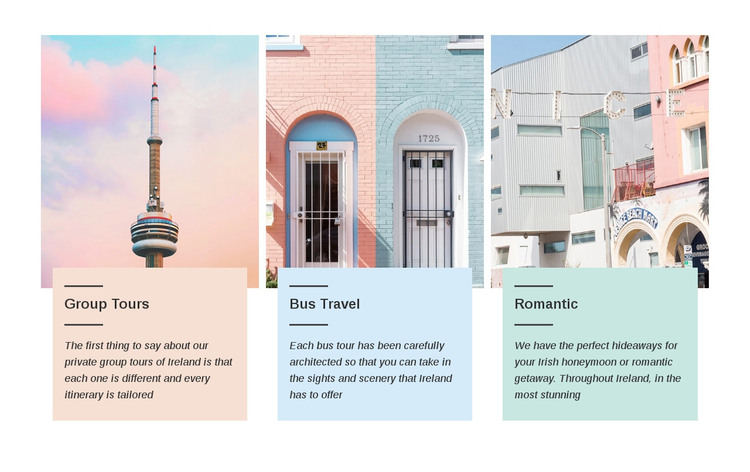
The three image-and-card groups read as enduring page content for a WordPress-managed travel site. Group Tours, Bus Travel, and Romantic are clearly separated, yet each follows the same pattern: a photograph supplies visual context and the colored card carries the category heading with its supporting explanation. This makes the block suitable for a stable services area rather than a stream of dated editorial entries.
The content gives each card a distinct page-level contribution. Group Tours refers to private group tours of Ireland and tailored itineraries, creating an offering centered on organized travel. Bus Travel directs attention to sightseeing and scenery, while Romantic addresses Irish honeymoons and romantic getaways. The parallel treatment lets visitors scan these related options while preserving the individual meaning of each service category.
In a WordPress-oriented project, the section can remain a reusable visual region on a services or travel-information page while the wider site manages other content around it. Its pastel pink, blue, and mint cards provide clear visual separation, and the repeated dark divider lines, italic copy, centered images, and even spacing help maintain one recognizable presentation. The block can therefore support permanent page content within a broader theme context without being mistaken for a complete WordPress Theme or full site structure.
Customize with Nicepage
Open this ready-made template in the WordPress Website Builder and customize it visually in the Nicepage editor. Replace demo content, edit page sections, and adapt the design to your project without rebuilding the template from scratch.
Edit Template Offline
2. Create a new page or select existing
3. Click Add new block, search for id 44104 and click enter
Edit Template Online
Create Awesome Websites


Free Nicepage Builder
Keywords
Manage and Edit This Theme in WordPress
Customize and Install the WordPress Theme
Start with this ready-made theme instead of building the WordPress design from scratch. Customize its layout, content, typography, images, sections, and other design elements visually in Nicepage editor, then export and install the WordPress Theme, Plugin, and Pages on your WordPress site. The Nicepage WordPress Plugin lets you continue working with the site after installation.
Edit the Theme Directly in WordPress
After installation, you can edit the WordPress Theme directly in WordPress with the Nicepage WordPress Plugin. Use Site Style to customize site Colors, Fonts, Header, Footer, Blog, and Post Page Templates while working within your WordPress website.
Edit WordPress Pages Visually
Use the Nicepage WordPress Plugin to edit page content directly from the WordPress admin area. Open a WordPress Page with Nicepage and visually change its text, images, sections, and other page elements while continuing to manage the Page through WordPress.
WordPress Content and Theme Integration
Use the customized theme with WordPress Pages, Posts, Blog and Post Templates, menus, widgets, and other CMS-managed content. Shared theme elements such as Colors, Fonts, Header, Footer, Blog, and Post Page Templates can be managed as part of the overall site design, while WordPress provides the CMS environment for managing site content.
This workflow combines a ready-made WordPress Theme with visual customization, direct theme editing in WordPress, and continued content management through the Nicepage WordPress Plugin.