Shapes and grid WordPress Theme


Stable Page Content for Testimonials and Running Mission Copy
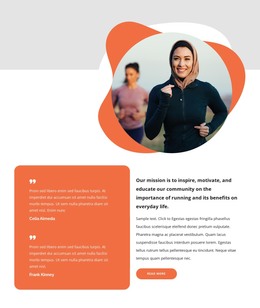
The two testimonial entries give the block a clear page-content role: they present community perspectives in a repeated, vertically stacked group. That group is visually contained in the rounded left panel, separating the testimonial material from the mission-oriented text on the right. Above both areas, a circular portrait layered with abstract shapes creates an image-led introduction and gives the section a recognizable visual starting point.
The right panel carries the statement that the mission is to inspire, motivate, and educate the community about running and its everyday benefits. Supporting copy adds explanation without creating another competing content column, and the read-more button offers one focused destination for additional information. This relationship makes the block suitable for stable page content rather than a stream of time-sensitive entries: it explains purpose, presents social perspective, and points visitors toward a related detail.
Within a WordPress-managed page, the section can remain a reusable visual content region for a running, fitness, or community-wellness project. Other page areas may handle programs, contact information, or longer educational material, while this block preserves its compact combination of testimonial proof and mission copy. Its static interaction keeps the content immediately visible, so the section’s usefulness depends on the hierarchy between the portrait, testimonial panel, statement, supporting paragraph, and link.
Customize with Nicepage
Open this ready-made template in the WordPress Website Builder and customize it visually in the Nicepage editor. Replace demo content, edit page sections, and adapt the design to your project without rebuilding the template from scratch.
Edit Template Offline
2. Create a new page or select existing
3. Click Add new block, search for id 5775927 and click enter
Edit Template Online
Create Awesome Websites


Free Nicepage Builder
Keywords
Manage and Edit This Theme in WordPress
Customize and Install the WordPress Theme
Start with this ready-made theme instead of building the WordPress design from scratch. Customize its layout, content, typography, images, sections, and other design elements visually in Nicepage editor, then export and install the WordPress Theme, Plugin, and Pages on your WordPress site. The Nicepage WordPress Plugin lets you continue working with the site after installation.
Edit the Theme Directly in WordPress
After installation, you can edit the WordPress Theme directly in WordPress with the Nicepage WordPress Plugin. Use Site Style to customize site Colors, Fonts, Header, Footer, Blog, and Post Page Templates while working within your WordPress website.
Edit WordPress Pages Visually
Use the Nicepage WordPress Plugin to edit page content directly from the WordPress admin area. Open a WordPress Page with Nicepage and visually change its text, images, sections, and other page elements while continuing to manage the Page through WordPress.
WordPress Content and Theme Integration
Use the customized theme with WordPress Pages, Posts, Blog and Post Templates, menus, widgets, and other CMS-managed content. Shared theme elements such as Colors, Fonts, Header, Footer, Blog, and Post Page Templates can be managed as part of the overall site design, while WordPress provides the CMS environment for managing site content.
This workflow combines a ready-made WordPress Theme with visual customization, direct theme editing in WordPress, and continued content management through the Nicepage WordPress Plugin.