Application form and photo WordPress Theme


The Support Illustration Anchors Stable WordPress Page Content
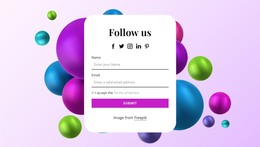
The support illustration gives the section an immediate content identity before the visitor reaches the form. Its visible 24/7 badge adds a service cue within the artwork, while the centered position keeps that context directly connected to the contact area. Beneath it, the name and email fields organize the requested information into two recognizable inputs, and the full-width yellow Submit button closes the interaction with a clear response point.
This content model suits a stable page section in a WordPress-managed site because the block communicates one focused contact purpose rather than a stream of dated editorial entries. The light-gray rounded fields make the input area distinct from the white background, while small labels and compact spacing keep the section easy to scan. The illustration and form therefore work as one publishable content region: visual support context above, contact details in the middle, and submission at the end.
Within a WordPress-oriented project, this section can remain part of a services, support, or contact page while the surrounding site supplies other content areas. Its visual treatment can stay consistent as page content even when the wider project adds separate sections or regularly maintained material. The block contributes a defined contact region with a clear form relationship, not a standalone WordPress Theme or complete site structure.
Customize with Nicepage
Open this ready-made template in the WordPress Website Builder and customize it visually in the Nicepage editor. Replace demo content, edit page sections, and adapt the design to your project without rebuilding the template from scratch.
Edit Template Offline
2. Create a new page or select existing
3. Click Add new block, search for id 2981971 and click enter
Edit Template Online
Create Awesome Websites


Free Nicepage Builder
Keywords
Manage and Edit This Theme in WordPress
Customize and Install the WordPress Theme
Start with this ready-made theme instead of building the WordPress design from scratch. Customize its layout, content, typography, images, sections, and other design elements visually in Nicepage editor, then export and install the WordPress Theme, Plugin, and Pages on your WordPress site. The Nicepage WordPress Plugin lets you continue working with the site after installation.
Edit the Theme Directly in WordPress
After installation, you can edit the WordPress Theme directly in WordPress with the Nicepage WordPress Plugin. Use Site Style to customize site Colors, Fonts, Header, Footer, Blog, and Post Page Templates while working within your WordPress website.
Edit WordPress Pages Visually
Use the Nicepage WordPress Plugin to edit page content directly from the WordPress admin area. Open a WordPress Page with Nicepage and visually change its text, images, sections, and other page elements while continuing to manage the Page through WordPress.
WordPress Content and Theme Integration
Use the customized theme with WordPress Pages, Posts, Blog and Post Templates, menus, widgets, and other CMS-managed content. Shared theme elements such as Colors, Fonts, Header, Footer, Blog, and Post Page Templates can be managed as part of the overall site design, while WordPress provides the CMS environment for managing site content.
This workflow combines a ready-made WordPress Theme with visual customization, direct theme editing in WordPress, and continued content management through the Nicepage WordPress Plugin.