Information about us WordPress Theme


A Stable Services-Style Section for WordPress Page Content
The prominent heading makes the block suitable for permanent page content because it states the central learning proposition in one concentrated area. It describes flexible 24/7 online learning, refers to accredited undergraduate and postgraduate courses, and reinforces the fully online format. That message can introduce an education-focused page region without depending on frequently changing editorial entries.
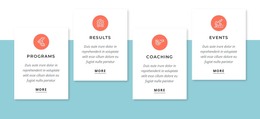
The right side adds four repeatable content units. Support 24/7, Management, Partnership, and Contacts each appear with an individual illustration, and the two-by-two arrangement keeps these themes equal in visual weight. Instead of turning the section into a long description, the layout separates the broad proposition from the smaller areas that help explain what surrounds the learning experience.
Within a WordPress-managed site, this block can serve as a stable information section on a page while other content areas handle course detail, news, admissions, or deeper institutional information. The section's strong black typography and white space keep the text readable, while the mint-and-black illustrations give the repeated feature units a shared visual cue. The result is a reusable page-content region whose internal structure remains clear as the wider site develops.
Customize with Nicepage
Open this ready-made template in the WordPress Website Builder and customize it visually in the Nicepage editor. Replace demo content, edit page sections, and adapt the design to your project without rebuilding the template from scratch.
Edit Template Offline
2. Create a new page or select existing
3. Click Add new block, search for id 2981858 and click enter
Edit Template Online
Create Awesome Websites


Free Nicepage Builder
Keywords
Manage and Edit This Theme in WordPress
Customize and Install the WordPress Theme
Start with this ready-made theme instead of building the WordPress design from scratch. Customize its layout, content, typography, images, sections, and other design elements visually in Nicepage editor, then export and install the WordPress Theme, Plugin, and Pages on your WordPress site. The Nicepage WordPress Plugin lets you continue working with the site after installation.
Edit the Theme Directly in WordPress
After installation, you can edit the WordPress Theme directly in WordPress with the Nicepage WordPress Plugin. Use Site Style to customize site Colors, Fonts, Header, Footer, Blog, and Post Page Templates while working within your WordPress website.
Edit WordPress Pages Visually
Use the Nicepage WordPress Plugin to edit page content directly from the WordPress admin area. Open a WordPress Page with Nicepage and visually change its text, images, sections, and other page elements while continuing to manage the Page through WordPress.
WordPress Content and Theme Integration
Use the customized theme with WordPress Pages, Posts, Blog and Post Templates, menus, widgets, and other CMS-managed content. Shared theme elements such as Colors, Fonts, Header, Footer, Blog, and Post Page Templates can be managed as part of the overall site design, while WordPress provides the CMS environment for managing site content.
This workflow combines a ready-made WordPress Theme with visual customization, direct theme editing in WordPress, and continued content management through the Nicepage WordPress Plugin.