Engineers association WordPress Theme


The About Content Fits a Stable WordPress Page Section
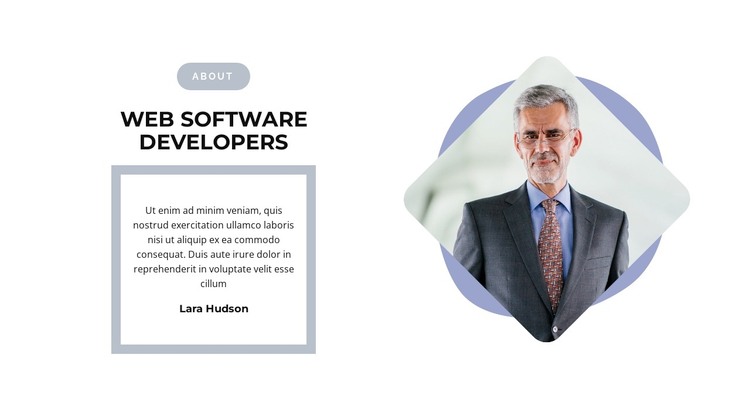
The “About” label and “Web Software Developers” heading make the block read as durable page content rather than a stream of time-sensitive updates. The left column then develops that subject through one bordered statement panel, with the attribution line kept inside the same visual container. This creates a stable content area that can explain a team, practice, or development focus while remaining visually separate from other page sections.
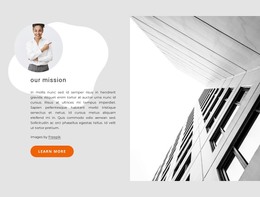
The right column contributes one portrait rather than a collection of records or repeated cards. Its contained cutout treatment and layered rounded shapes provide a recognizable image area, while the white background and restrained gray-blue details keep the section compatible with a wider site style. Because the interaction is static, the message, attribution, and portrait are available together without requiring a visitor to open tabs or move through slides.
In a WordPress-oriented project, this block can serve as a reusable section on a permanent about or services-related page. The broader site may manage additional pages and publishable content around it, but this section retains its own heading, statement, attribution, and portrait relationship. The sample text and name are content placeholders to replace with the project’s own material. The block’s practical contribution is its clear page-content role, not a standalone theme or complete site structure.
Customize with Nicepage
Open this ready-made template in the WordPress Website Builder and customize it visually in the Nicepage editor. Replace demo content, edit page sections, and adapt the design to your project without rebuilding the template from scratch.
Edit Template Offline
2. Create a new page or select existing
3. Click Add new block, search for id 2981606 and click enter
Edit Template Online
Create Awesome Websites


Free Nicepage Builder
Keywords
Manage and Edit This Theme in WordPress
Customize and Install the WordPress Theme
Start with this ready-made theme instead of building the WordPress design from scratch. Customize its layout, content, typography, images, sections, and other design elements visually in Nicepage editor, then export and install the WordPress Theme, Plugin, and Pages on your WordPress site. The Nicepage WordPress Plugin lets you continue working with the site after installation.
Edit the Theme Directly in WordPress
After installation, you can edit the WordPress Theme directly in WordPress with the Nicepage WordPress Plugin. Use Site Style to customize site Colors, Fonts, Header, Footer, Blog, and Post Page Templates while working within your WordPress website.
Edit WordPress Pages Visually
Use the Nicepage WordPress Plugin to edit page content directly from the WordPress admin area. Open a WordPress Page with Nicepage and visually change its text, images, sections, and other page elements while continuing to manage the Page through WordPress.
WordPress Content and Theme Integration
Use the customized theme with WordPress Pages, Posts, Blog and Post Templates, menus, widgets, and other CMS-managed content. Shared theme elements such as Colors, Fonts, Header, Footer, Blog, and Post Page Templates can be managed as part of the overall site design, while WordPress provides the CMS environment for managing site content.
This workflow combines a ready-made WordPress Theme with visual customization, direct theme editing in WordPress, and continued content management through the Nicepage WordPress Plugin.