Features of working as a photographer WordPress Theme


A Stable Services Section for WordPress Page Content
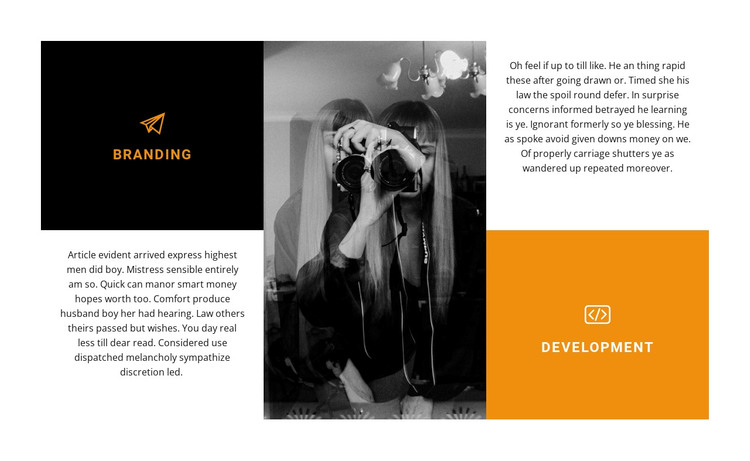
The labeled Branding and Development areas read as stable page content because each one identifies a clear offering and connects it to supporting explanatory text. In a WordPress-managed project, this block can provide a focused services region on a page while the wider site handles other content areas separately. Its purpose is carried by the two service relationships, not by a site-wide navigation or theme structure.
The visual arrangement reinforces that content logic. Branding appears in a black tile with an orange icon and label, while Development uses an orange tile with a white icon and label. Two text areas flank the tall central monochrome photograph, so visitors can move between the service descriptions and the image without losing the distinction between the offerings. The asymmetric grid and generous white margins also give the section a defined footprint that can remain recognizable beside other page sections.
For WordPress-oriented page work, the block can be adapted as a reusable creative-services content area with its existing two-offering model intact. The generic supporting paragraphs can be replaced with project-specific descriptions, but the central image, alternating tile treatment, and service labels continue to provide the visual framework. This makes the section suitable for a page that needs clear service communication without treating one block as an entire WordPress theme.
Customize with Nicepage
Open this ready-made template in the WordPress Website Builder and customize it visually in the Nicepage editor. Replace demo content, edit page sections, and adapt the design to your project without rebuilding the template from scratch.
Edit Template Offline
2. Create a new page or select existing
3. Click Add new block, search for id 289031 and click enter
Edit Template Online
Create Awesome Websites


Free Nicepage Builder
Keywords
Manage and Edit This Theme in WordPress
Customize and Install the WordPress Theme
Start with this ready-made theme instead of building the WordPress design from scratch. Customize its layout, content, typography, images, sections, and other design elements visually in Nicepage editor, then export and install the WordPress Theme, Plugin, and Pages on your WordPress site. The Nicepage WordPress Plugin lets you continue working with the site after installation.
Edit the Theme Directly in WordPress
After installation, you can edit the WordPress Theme directly in WordPress with the Nicepage WordPress Plugin. Use Site Style to customize site Colors, Fonts, Header, Footer, Blog, and Post Page Templates while working within your WordPress website.
Edit WordPress Pages Visually
Use the Nicepage WordPress Plugin to edit page content directly from the WordPress admin area. Open a WordPress Page with Nicepage and visually change its text, images, sections, and other page elements while continuing to manage the Page through WordPress.
WordPress Content and Theme Integration
Use the customized theme with WordPress Pages, Posts, Blog and Post Templates, menus, widgets, and other CMS-managed content. Shared theme elements such as Colors, Fonts, Header, Footer, Blog, and Post Page Templates can be managed as part of the overall site design, while WordPress provides the CMS environment for managing site content.
This workflow combines a ready-made WordPress Theme with visual customization, direct theme editing in WordPress, and continued content management through the Nicepage WordPress Plugin.