Studio for design and development WordPress Theme



A Focused Agency Hero for WordPress Page Content
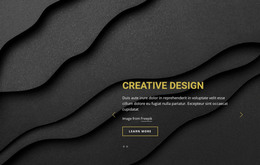
The centered hierarchy makes the section read as durable page content: a short “abot company” label, the prominent “Creative Agency” heading, an attribution line, and a single “Learn more” button. Rather than distributing information across cards or columns, the block concentrates the introduction in one visual field. The full-width abstract image supplies the background, while its orange and red geometry, dotted patterns, and diagonal accents create a recognizable setting for the white uppercase text.
In a WordPress-oriented project, this block can occupy the opening of an agency or design page while other content regions handle detailed services, portfolio work, team information, or contact material. The visible button gives the introductory content a practical connection to a later destination without making the section responsible for the whole page journey. Because the interaction is static, the block’s role depends on its clear visual hierarchy and the contrast between the background and foreground copy. The rounded outline around “Learn more” separates the action from the heading without overwhelming it, preserving the compact relationship between topic, context, and onward reading. This makes the section suitable as a stable, publishable content area that can remain visually consistent while the wider WordPress site develops around it.
Customize with Nicepage
Open this ready-made template in the WordPress Website Builder and customize it visually in the Nicepage editor. Replace demo content, edit page sections, and adapt the design to your project without rebuilding the template from scratch.
Edit Template Offline
2. Create a new page or select existing
3. Click Add new block, search for id 1996479 and click enter
Edit Template Online
Create Awesome Websites


Free Nicepage Builder
Keywords
Manage and Edit This Theme in WordPress
Customize and Install the WordPress Theme
Start with this ready-made theme instead of building the WordPress design from scratch. Customize its layout, content, typography, images, sections, and other design elements visually in Nicepage editor, then export and install the WordPress Theme, Plugin, and Pages on your WordPress site. The Nicepage WordPress Plugin lets you continue working with the site after installation.
Edit the Theme Directly in WordPress
After installation, you can edit the WordPress Theme directly in WordPress with the Nicepage WordPress Plugin. Use Site Style to customize site Colors, Fonts, Header, Footer, Blog, and Post Page Templates while working within your WordPress website.
Edit WordPress Pages Visually
Use the Nicepage WordPress Plugin to edit page content directly from the WordPress admin area. Open a WordPress Page with Nicepage and visually change its text, images, sections, and other page elements while continuing to manage the Page through WordPress.
WordPress Content and Theme Integration
Use the customized theme with WordPress Pages, Posts, Blog and Post Templates, menus, widgets, and other CMS-managed content. Shared theme elements such as Colors, Fonts, Header, Footer, Blog, and Post Page Templates can be managed as part of the overall site design, while WordPress provides the CMS environment for managing site content.
This workflow combines a ready-made WordPress Theme with visual customization, direct theme editing in WordPress, and continued content management through the Nicepage WordPress Plugin.