Travel ideas WordPress Theme


Named Destinations Form a Stable Travel Content Area
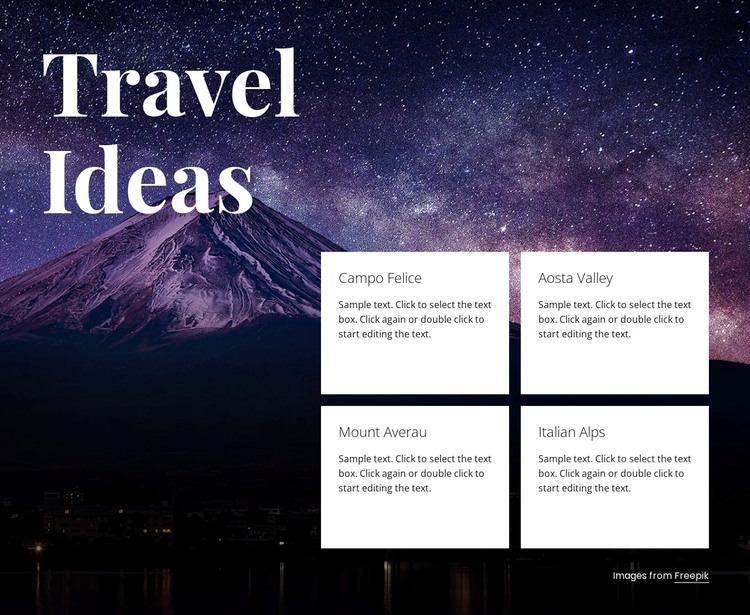
The four named cards give this section a practical content role for a WordPress-managed page. Campo Felice, Aosta Valley, Mount Averau, and Italian Alps are presented as separate destination topics, each with its own title and descriptive area. Together, they create a focused travel-ideas grouping that can remain part of stable page content while other parts of the broader project handle navigation, additional travel information, or changing editorial material.
The layout supports that role through a clear division of attention. The large “Travel Ideas” heading occupies the left side and introduces the subject, while the two-column, two-row card grid provides the detailed choices on the right. Behind both areas, the full-width mountain landscape supplies a consistent visual context. White cards and light text remain legible against the dark night scene, and the small image credit stays at the edge of the composition rather than interrupting the destination scan.
Within WordPress-oriented content, the section can serve as a reusable destination area on a page without being treated as a complete WordPress Theme. Its four-card pattern is especially suitable when the editor needs several related travel entries displayed together. The current descriptions are sample text, so they should be replaced with the intended copy while the heading, repeated card structure, and image-led presentation preserve the block’s established content logic.
Customize with Nicepage
Open this ready-made template in the WordPress Website Builder and customize it visually in the Nicepage editor. Replace demo content, edit page sections, and adapt the design to your project without rebuilding the template from scratch.
Edit Template Offline
2. Create a new page or select existing
3. Click Add new block, search for id 149107 and click enter
Edit Template Online
Create Awesome Websites


Free Nicepage Builder
Keywords
Manage and Edit This Theme in WordPress
Customize and Install the WordPress Theme
Start with this ready-made theme instead of building the WordPress design from scratch. Customize its layout, content, typography, images, sections, and other design elements visually in Nicepage editor, then export and install the WordPress Theme, Plugin, and Pages on your WordPress site. The Nicepage WordPress Plugin lets you continue working with the site after installation.
Edit the Theme Directly in WordPress
After installation, you can edit the WordPress Theme directly in WordPress with the Nicepage WordPress Plugin. Use Site Style to customize site Colors, Fonts, Header, Footer, Blog, and Post Page Templates while working within your WordPress website.
Edit WordPress Pages Visually
Use the Nicepage WordPress Plugin to edit page content directly from the WordPress admin area. Open a WordPress Page with Nicepage and visually change its text, images, sections, and other page elements while continuing to manage the Page through WordPress.
WordPress Content and Theme Integration
Use the customized theme with WordPress Pages, Posts, Blog and Post Templates, menus, widgets, and other CMS-managed content. Shared theme elements such as Colors, Fonts, Header, Footer, Blog, and Post Page Templates can be managed as part of the overall site design, while WordPress provides the CMS environment for managing site content.
This workflow combines a ready-made WordPress Theme with visual customization, direct theme editing in WordPress, and continued content management through the Nicepage WordPress Plugin.