Care was fantastic WordPress Theme



A Stable Patient-Story Section for WordPress Pages
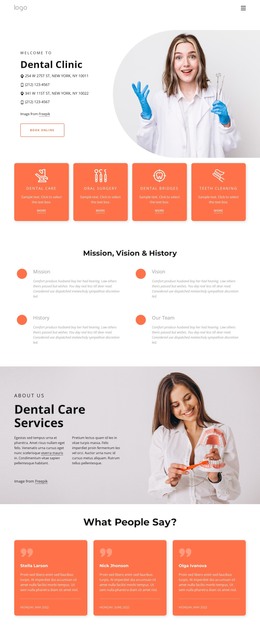
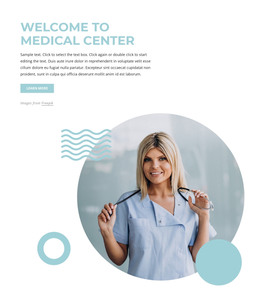
The block is organized around one patient-style care statement, not a collection of separate testimonials. A circular medical-professional portrait establishes the visual setting on the right, and the white quote card crosses into the lower-left area to bring the reader’s attention back to the words. This overlap creates a clear relationship between person-centered imagery and the clinic-care message. The large blue quotation mark acts as a visual entry point, while bold black typography preserves the quote’s prominence against the white background.
Within a WordPress-managed page, the section can function as stable testimonial content on a healthcare or clinic-oriented page. It may sit between an explanation of services and a later contact area, giving visitors one human-centered statement without claiming that the block contains the whole page structure. The three geometric accents support the composition as decoration rather than additional content, and the static layout keeps the testimonial continuously visible. The Freepik credit should remain attached to the portrait presentation when the section is reused. This makes the block suitable as a defined page-content region that can sit inside a wider WordPress design while other areas handle navigation, service information, and inquiries.
Customize with Nicepage
Open this ready-made template in the WordPress Website Builder and customize it visually in the Nicepage editor. Replace demo content, edit page sections, and adapt the design to your project without rebuilding the template from scratch.
Edit Template Offline
2. Create a new page or select existing
3. Click Add new block, search for id 1467229 and click enter
Edit Template Online
Create Awesome Websites


Free Nicepage Builder
Keywords
Manage and Edit This Theme in WordPress
Customize and Install the WordPress Theme
Start with this ready-made theme instead of building the WordPress design from scratch. Customize its layout, content, typography, images, sections, and other design elements visually in Nicepage editor, then export and install the WordPress Theme, Plugin, and Pages on your WordPress site. The Nicepage WordPress Plugin lets you continue working with the site after installation.
Edit the Theme Directly in WordPress
After installation, you can edit the WordPress Theme directly in WordPress with the Nicepage WordPress Plugin. Use Site Style to customize site Colors, Fonts, Header, Footer, Blog, and Post Page Templates while working within your WordPress website.
Edit WordPress Pages Visually
Use the Nicepage WordPress Plugin to edit page content directly from the WordPress admin area. Open a WordPress Page with Nicepage and visually change its text, images, sections, and other page elements while continuing to manage the Page through WordPress.
WordPress Content and Theme Integration
Use the customized theme with WordPress Pages, Posts, Blog and Post Templates, menus, widgets, and other CMS-managed content. Shared theme elements such as Colors, Fonts, Header, Footer, Blog, and Post Page Templates can be managed as part of the overall site design, while WordPress provides the CMS environment for managing site content.
This workflow combines a ready-made WordPress Theme with visual customization, direct theme editing in WordPress, and continued content management through the Nicepage WordPress Plugin.