Caring for cycles and cars Template


Edit Template Offline
2. Create new page and search for id 78418
Edit Template Online
Create Awesome Websites


Free Nicepage Builder
Keywords
Motorcycle Service Content Gains Its Own Visual Story
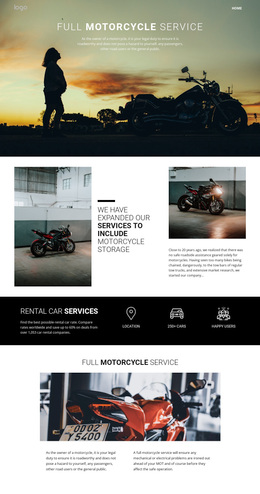
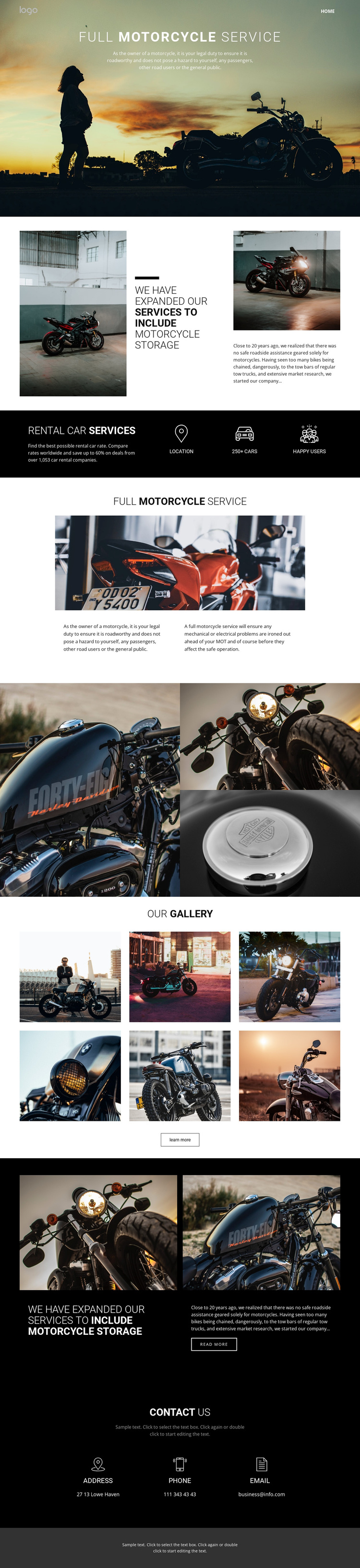
Large motorcycle imagery carries the subject from the opening service introduction through the storage sections and into two distinct gallery treatments. That continuity makes the design a strong option for projects where the equipment, riding environment, and service experience should be visible rather than described only through dense text. The full-width hero establishes the main motorcycle service immediately, while the split storage section adds a second offering without breaking the visual direction.
The page also gives the content enough variation to support different visitor interests. The later full motorcycle service section pairs a prominent image with two explanatory text areas, providing more room for maintenance-related information. A separate three-image composition creates a compact visual pause, and the six-image “Our Gallery” section offers a broader collection with a learn more action. The repeated storage feature adds a read more action before the contact area, where address, phone, and email details create a practical endpoint.
Together, these relationships distinguish the design from a generic service layout: photography leads the presentation, storage broadens the offer, repeated service content adds explanation, and contact details remain easy to find. It suits a motorcycle support project that needs recognizable visual character alongside clearly separated service information.
Customize with Nicepage
Open this ready-made template in the Template Builder and customize it visually in the Nicepage editor. Replace demo content, edit page sections, and adapt the design to your project without rebuilding the template from scratch.
Start With a Ready-Made Template
Choose a Design for a New Page
Use a ready-made template as a starting point instead of creating every page from a blank canvas. When adding a new page in Nicepage, browse available designs, compare different layouts, and choose an option that already fits the general purpose and visual direction of your project.
Browse Different Page Designs
Explore Page Designs using search, thematic categories, Design Sets, and full-page previews. The collection includes layouts for different subjects and page purposes, making it easier to compare alternatives before selecting a design to customize.
Customize the Selected Template
After choosing a design, create the page and continue editing it visually in Nicepage. Replace the demo content, adjust images, typography, colors, sections, and other elements, and adapt the ready-made layout to your own content instead of rebuilding the design from the beginning.
Explore More Design Directions
If the first option does not match your project closely enough, return to the design collection and compare other templates before committing to a layout. This makes the template library useful not only for faster page creation, but also for exploring different visual approaches and finding a suitable starting point for a new project.
This workflow gives you access to a broad collection of ready-made designs that can be selected, compared, and customized according to the needs of each new page or project.