Mustang Template


Edit Template Offline
2. Create new page and search for id 24072
Edit Template Online
Create Awesome Websites


Free Nicepage Builder
Keywords
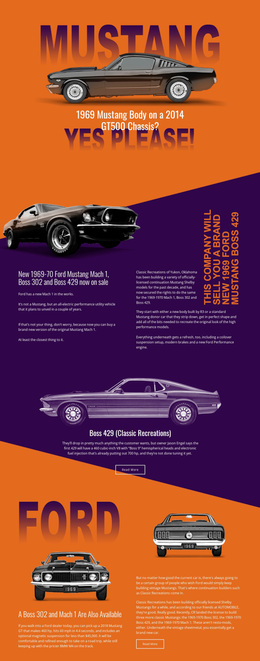
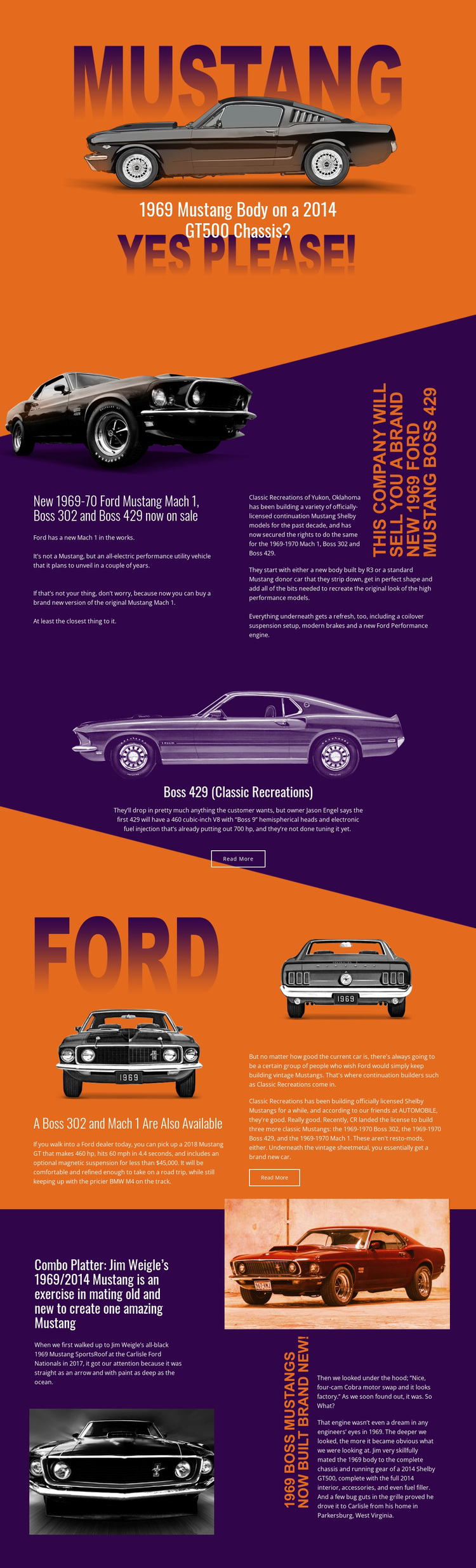
Mustang Model Coverage Gives This Design a Distinct Editorial Direction
Large vehicle imagery and specific model-led headlines make this design more than a generic automotive layout. The opening question about a 1969 Mustang body on a 2014 GT500 chassis immediately establishes a story built around contrast between classic form and newer mechanical components. The continuation-model section then widens the coverage to the Mach 1, Boss 302, and Boss 429, giving the page a clear subject range for readers interested in historic Mustang variants and modern continuation builds.
The design also includes two different kinds of feature emphasis. The Boss 429 story is presented as a centered image-led panel with a Read More action, while the final Jim Weigle feature uses a split editorial arrangement to explain a custom 1969/2014 combination. That variation suits projects where visual evidence and detailed automotive narrative need to share the same page without every story using the same block shape.
The orange and dark purple fields, diagonal transitions, and bold condensed type complete the design’s identity. They create a dramatic magazine-like direction that is particularly appropriate for classic-car journalism, restoration coverage, enthusiast publications, or a specialist automotive project. The template is worth choosing when the subject needs strong imagery and story progression rather than a neutral catalog of services or products.
Customize with Nicepage
Open this ready-made template in the Template Builder and customize it visually in the Nicepage editor. Replace demo content, edit page sections, and adapt the design to your project without rebuilding the template from scratch.
Start With a Ready-Made Template
Choose a Design for a New Page
Use a ready-made template as a starting point instead of creating every page from a blank canvas. When adding a new page in Nicepage, browse available designs, compare different layouts, and choose an option that already fits the general purpose and visual direction of your project.
Browse Different Page Designs
Explore Page Designs using search, thematic categories, Design Sets, and full-page previews. The collection includes layouts for different subjects and page purposes, making it easier to compare alternatives before selecting a design to customize.
Customize the Selected Template
After choosing a design, create the page and continue editing it visually in Nicepage. Replace the demo content, adjust images, typography, colors, sections, and other elements, and adapt the ready-made layout to your own content instead of rebuilding the design from the beginning.
Explore More Design Directions
If the first option does not match your project closely enough, return to the design collection and compare other templates before committing to a layout. This makes the template library useful not only for faster page creation, but also for exploring different visual approaches and finding a suitable starting point for a new project.
This workflow gives you access to a broad collection of ready-made designs that can be selected, compared, and customized according to the needs of each new page or project.