Uber's Aerial Taxi Play Template


Edit Template Offline
2. Create new page and search for id 12799
Edit Template Online
Create Awesome Websites


Free Nicepage Builder
Keywords
Four Program Topics Give the Editorial Story a Distinctive Shape
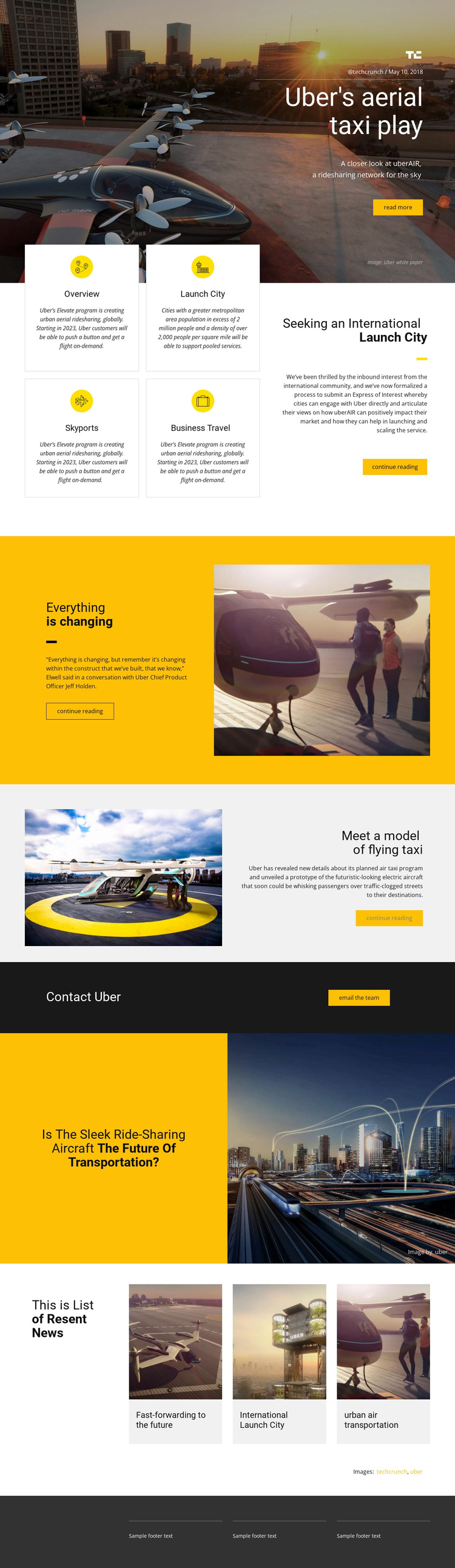
The design stands out through the way it combines a magazine-like opening with practical program information. A dark city-and-aircraft hero presents Uber's aerial taxi play as a featured story, complete with source label, date, concise description, and reading action. Instead of following that introduction with an undifferentiated block of text, the page divides the program into four bordered topics: Overview, Launch City, Skyports, and Business Travel. That arrangement gives readers several recognizable entry points into the subject.
The visual storytelling continues through two different image-and-text relationships. A bright yellow section frames a short perspective on transportation change, while a light gray split section explains a flying-taxi prototype beside a large aircraft photograph. The later question about the future of transportation broadens the subject again, and the three related news tiles make the page feel connected to an ongoing editorial conversation rather than a single isolated announcement.
This is a useful design option for projects that need to explain an emerging mobility concept through both narrative and organized reference points. The direct Email the team action adds a real contact destination for cities or stakeholders interested in the program, while the dark footer provides a restrained close. The combination is more specific than a generic transportation landing page: it favors editorial context, visual evidence, program categories, and continued reading before the response point.
Customize with Nicepage
Open this ready-made template in the Template Builder and customize it visually in the Nicepage editor. Replace demo content, edit page sections, and adapt the design to your project without rebuilding the template from scratch.
Start With a Ready-Made Template
Choose a Design for a New Page
Use a ready-made template as a starting point instead of creating every page from a blank canvas. When adding a new page in Nicepage, browse available designs, compare different layouts, and choose an option that already fits the general purpose and visual direction of your project.
Browse Different Page Designs
Explore Page Designs using search, thematic categories, Design Sets, and full-page previews. The collection includes layouts for different subjects and page purposes, making it easier to compare alternatives before selecting a design to customize.
Customize the Selected Template
After choosing a design, create the page and continue editing it visually in Nicepage. Replace the demo content, adjust images, typography, colors, sections, and other elements, and adapt the ready-made layout to your own content instead of rebuilding the design from the beginning.
Explore More Design Directions
If the first option does not match your project closely enough, return to the design collection and compare other templates before committing to a layout. This makes the template library useful not only for faster page creation, but also for exploring different visual approaches and finding a suitable starting point for a new project.
This workflow gives you access to a broad collection of ready-made designs that can be selected, compared, and customized according to the needs of each new page or project.