Car service Template


Edit Template Offline
2. Create new page and search for id 1123052
Edit Template Online
Create Awesome Websites


Free Nicepage Builder
Keywords
A Road-Trip Checklist Adds Practical Depth to the Repair Offer
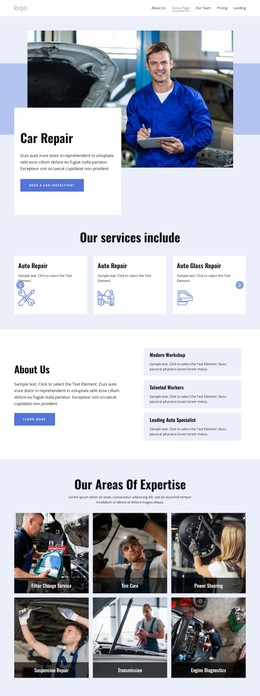
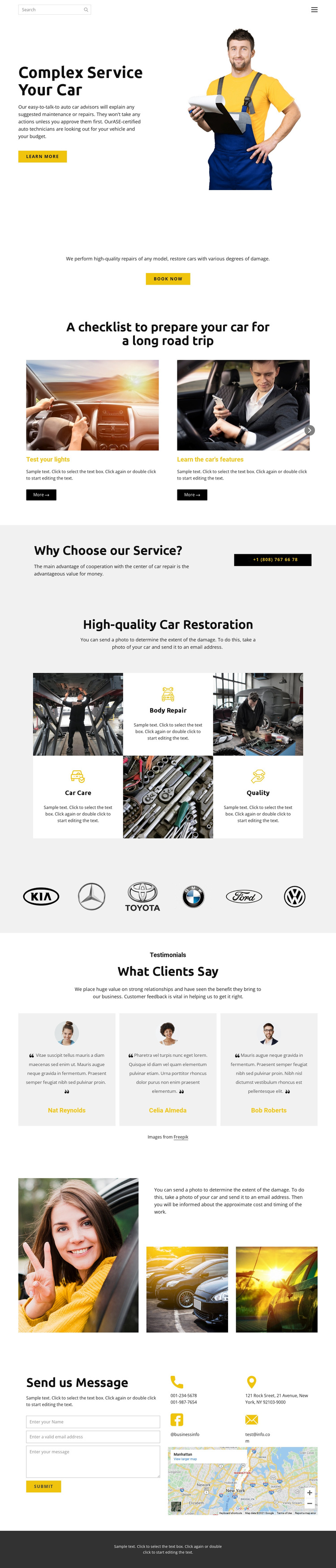
The design stands out through the way practical advice and repair promotion share one automotive presentation. The opening technician image establishes the service setting, but the page is not limited to a generic repair introduction. Three service-highlight cards lead into a booking action, and the road-trip checklist gives the visitor a concrete reason to explore the page beyond immediate repair needs. Its topics cover lights, vehicle features, a tune-up, and brakes, creating an informative counterpoint to the promotional sections.
The restoration tiles then broaden the content through Body Repair, Car Care, and Quality, while six vehicle-brand images add recognizable automotive context. Three testimonial cards provide another content layer before the page returns to direct service communication. Because the sample names and contact values are placeholders, they should be replaced with verified project information; their presence still demonstrates where trust and contact content belong in the layout.
This combination makes the template a useful option for a repair business that needs more than a single booking prompt. It can present capabilities, practical guidance, visual context, customer feedback, and a final inquiry path in one coherent direction. The result is a design choice centered on service breadth and visitor reassurance rather than on one isolated decorative style.
Customize with Nicepage
Open this ready-made template in the Template Builder and customize it visually in the Nicepage editor. Replace demo content, edit page sections, and adapt the design to your project without rebuilding the template from scratch.
Start With a Ready-Made Template
Choose a Design for a New Page
Use a ready-made template as a starting point instead of creating every page from a blank canvas. When adding a new page in Nicepage, browse available designs, compare different layouts, and choose an option that already fits the general purpose and visual direction of your project.
Browse Different Page Designs
Explore Page Designs using search, thematic categories, Design Sets, and full-page previews. The collection includes layouts for different subjects and page purposes, making it easier to compare alternatives before selecting a design to customize.
Customize the Selected Template
After choosing a design, create the page and continue editing it visually in Nicepage. Replace the demo content, adjust images, typography, colors, sections, and other elements, and adapt the ready-made layout to your own content instead of rebuilding the design from the beginning.
Explore More Design Directions
If the first option does not match your project closely enough, return to the design collection and compare other templates before committing to a layout. This makes the template library useful not only for faster page creation, but also for exploring different visual approaches and finding a suitable starting point for a new project.
This workflow gives you access to a broad collection of ready-made designs that can be selected, compared, and customized according to the needs of each new page or project.