Modern Women's Fashion Shop Template
Edit Template Offline
2. Create new page and search for id 6671490
Edit Template Online
Create Awesome Websites


Free Nicepage Builder
Keywords
A seasonal product story covers the main retail browsing needs
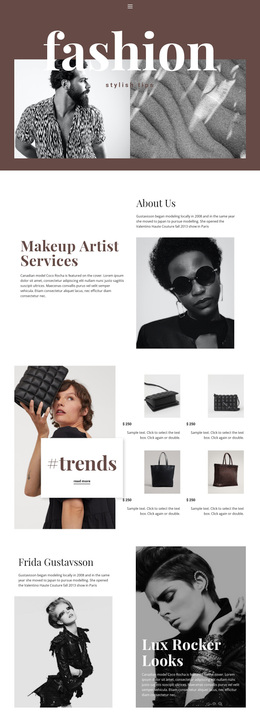
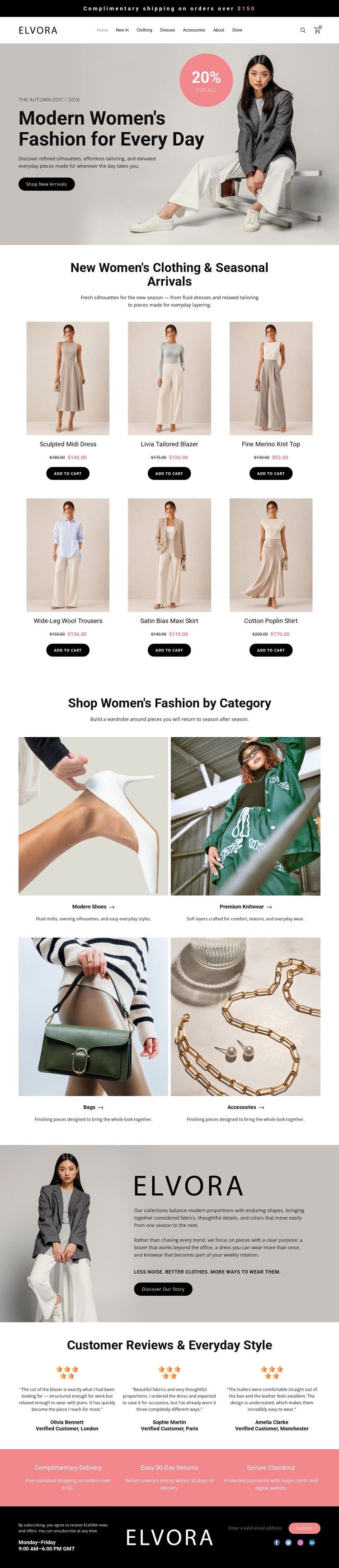
Large fashion photography establishes the design's first point of distinction, but the page is not limited to an editorial introduction. The hero connects a seasonal message and promotional badge with the Shop New Arrivals action, then hands the visitor to a six-item clothing collection. Because every product card combines imagery, a name, a displayed price, and an add-to-cart button, the design supports immediate movement from visual interest to shopping consideration.
The four category tiles make the template useful for a broader fashion assortment. Modern Shoes, Premium Knitwear, Bags, and Accessories are presented as separate image-led choices, giving the page more content coverage than a layout centered only on one clothing collection. The Elvora story adds brand perspective, while three review columns provide a customer-focused counterweight to the product imagery. A coral strip for complimentary delivery, 30-day returns, and secure checkout supplies practical reassurance without disrupting the visual tone.
This combination makes the design worth choosing when a project needs a polished fashion direction with both discovery and retail structure. It can present a collection, introduce the brand, guide visitors into categories, and support purchase decisions in one coordinated composition. The neutral palette, dark rounded buttons, and generous spacing also leave room for the project's own merchandise and imagery without requiring a completely different visual language.
Customize with Nicepage
Open this ready-made template in the Template Builder and customize it visually in the Nicepage editor. Replace demo content, edit page sections, and adapt the design to your project without rebuilding the template from scratch.
Start With a Ready-Made Template
Choose a Design for a New Page
Use a ready-made template as a starting point instead of creating every page from a blank canvas. When adding a new page in Nicepage, browse available designs, compare different layouts, and choose an option that already fits the general purpose and visual direction of your project.
Browse Different Page Designs
Explore Page Designs using search, thematic categories, Design Sets, and full-page previews. The collection includes layouts for different subjects and page purposes, making it easier to compare alternatives before selecting a design to customize.
Customize the Selected Template
After choosing a design, create the page and continue editing it visually in Nicepage. Replace the demo content, adjust images, typography, colors, sections, and other elements, and adapt the ready-made layout to your own content instead of rebuilding the design from the beginning.
Explore More Design Directions
If the first option does not match your project closely enough, return to the design collection and compare other templates before committing to a layout. This makes the template library useful not only for faster page creation, but also for exploring different visual approaches and finding a suitable starting point for a new project.
This workflow gives you access to a broad collection of ready-made designs that can be selected, compared, and customized according to the needs of each new page or project.