Stylish unique salon Template



Edit Template Offline
2. Create new page and search for id 1860312
Edit Template Online
Create Awesome Websites


Free Nicepage Builder
Keywords
Editorial imagery and practical beauty advice give this design a clear identity
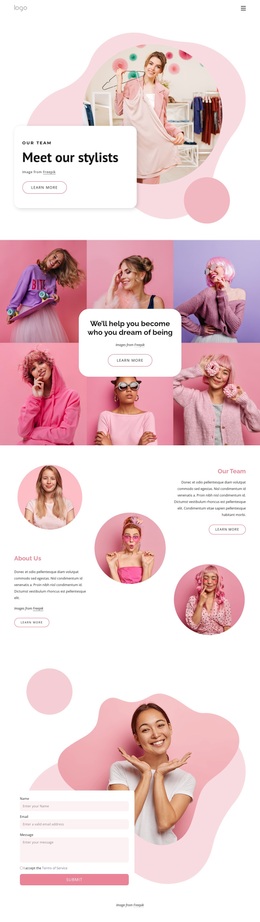
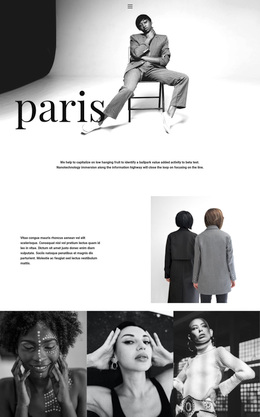
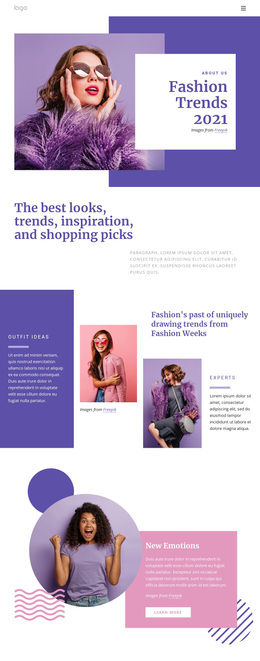
Large fashion photography carries much of the page’s first impression, but the design is not limited to image presentation. The opening “Be Unique” message is followed by guidance on developing personal style, three repeated feature items, and two text columns that explain what can make fashion style individual. This combination makes the page suitable for projects that want visual inspiration supported by readable advice rather than a layout built only around promotional cards.
The six listed beauty tips add a practical, recognizable content feature. They are placed in a rounded advice card beside an image, creating a strong contrast between structured guidance and editorial visual material. Three testimonial cards introduce another content mode, while the statement about setting trends instead of following them reinforces the template’s central point of view. The later style-refresh section and Contact us action give the page a natural way to move from inspiration toward conversation. Lavender-blue and pale pink surfaces, white content areas, serif display typography, circular imagery, and organic shapes keep the visual direction consistent across those different purposes. As a ready-made design option, it suits fashion and beauty projects that need a distinctive editorial character, advice-oriented content, social proof, and a clearly visible contact ending.
Customize with Nicepage
Open this ready-made template in the Template Builder and customize it visually in the Nicepage editor. Replace demo content, edit page sections, and adapt the design to your project without rebuilding the template from scratch.
Start With a Ready-Made Template
Choose a Design for a New Page
Use a ready-made template as a starting point instead of creating every page from a blank canvas. When adding a new page in Nicepage, browse available designs, compare different layouts, and choose an option that already fits the general purpose and visual direction of your project.
Browse Different Page Designs
Explore Page Designs using search, thematic categories, Design Sets, and full-page previews. The collection includes layouts for different subjects and page purposes, making it easier to compare alternatives before selecting a design to customize.
Customize the Selected Template
After choosing a design, create the page and continue editing it visually in Nicepage. Replace the demo content, adjust images, typography, colors, sections, and other elements, and adapt the ready-made layout to your own content instead of rebuilding the design from the beginning.
Explore More Design Directions
If the first option does not match your project closely enough, return to the design collection and compare other templates before committing to a layout. This makes the template library useful not only for faster page creation, but also for exploring different visual approaches and finding a suitable starting point for a new project.
This workflow gives you access to a broad collection of ready-made designs that can be selected, compared, and customized according to the needs of each new page or project.