Welcome to education center Template


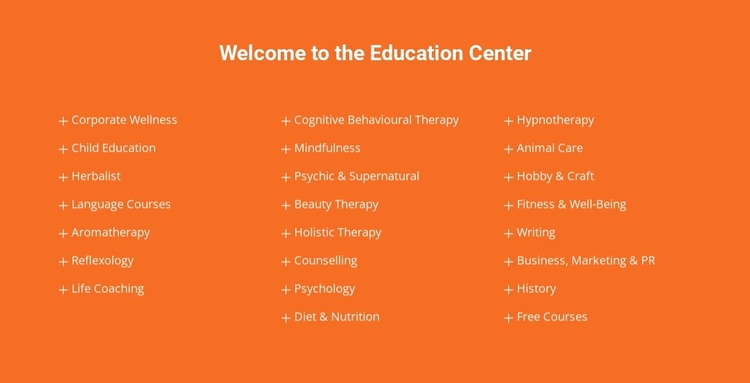
A Three-Column Education List With Broad Content Coverage
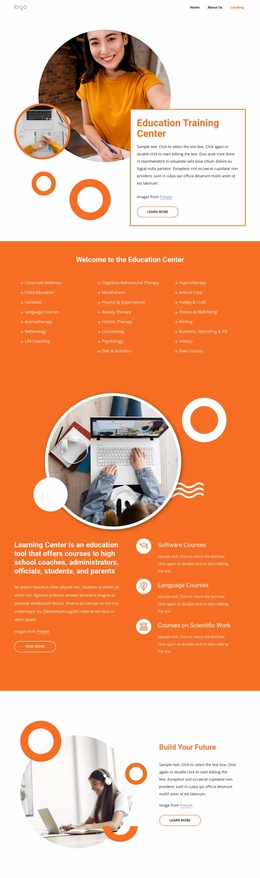
The centered welcome heading and three-column arrangement distinguish this block from a simpler single-column services list. It presents 23 named education categories in a compact section, with seven entries in the first column and eight in each of the other two. The structure gives the design enough capacity to show varied subject areas while retaining a consistent visual rhythm from one list item to the next.
The content coverage is one reason to select this design when a page needs to introduce a broad education offering without turning the section into a series of separate cards. Corporate Wellness, Child Education, Herbalist, Language Courses, Life Coaching, Psychology, Animal Care, Writing, and Free Courses are all handled through the same category-list treatment. More specialized labels, including Cognitive Behavioural Therapy, Mindfulness, Diet & Nutrition, and Hypnotherapy, fit the same pattern, so the section can accommodate different kinds of subject information.
The orange background, centered white heading, and small plus-sign markers add a recognizable visual direction without competing with the labels. As a ready-made block choice, this design is most useful when the content needs breadth, scanability, and a strong rectangular color field. Other sections can provide detailed explanations or actions while this one remains a concise education-category overview.
Customize with Nicepage
Open this ready-made template in the Template Builder and customize it visually in the Nicepage editor. Replace demo content, edit page sections, and adapt the design to your project without rebuilding the template from scratch.
Edit Template Offline
2. Create a new page or select existing
3. Click Add new block, search for id 6081725 and click enter
Edit Template Online
Create Awesome Websites


Free Nicepage Builder
Keywords
Start With a Ready-Made Template
Choose a Design for a New Page
Use a ready-made template as a starting point instead of creating every page from a blank canvas. When adding a new page in Nicepage, browse available designs, compare different layouts, and choose an option that already fits the general purpose and visual direction of your project.
Browse Different Page Designs
Explore Page Designs using search, thematic categories, Design Sets, and full-page previews. The collection includes layouts for different subjects and page purposes, making it easier to compare alternatives before selecting a design to customize.
Customize the Selected Template
After choosing a design, create the page and continue editing it visually in Nicepage. Replace the demo content, adjust images, typography, colors, sections, and other elements, and adapt the ready-made layout to your own content instead of rebuilding the design from the beginning.
Explore More Design Directions
If the first option does not match your project closely enough, return to the design collection and compare other templates before committing to a layout. This makes the template library useful not only for faster page creation, but also for exploring different visual approaches and finding a suitable starting point for a new project.
This workflow gives you access to a broad collection of ready-made designs that can be selected, compared, and customized according to the needs of each new page or project.