Online courses with certificates Template



Edit Template Offline
2. Create new page and search for id 3546094
Edit Template Online
Create Awesome Websites


Free Nicepage Builder
Keywords
Course Categories and Career Skills Give the Design a Distinct Direction
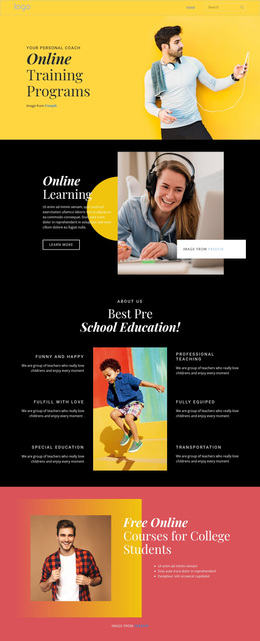
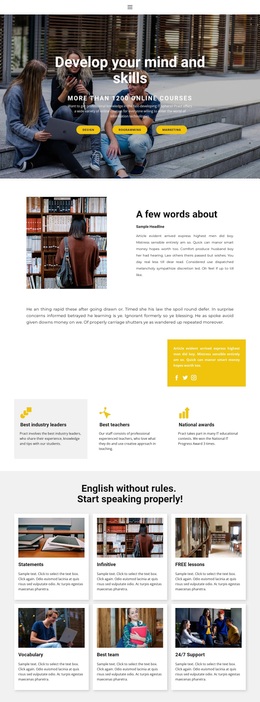
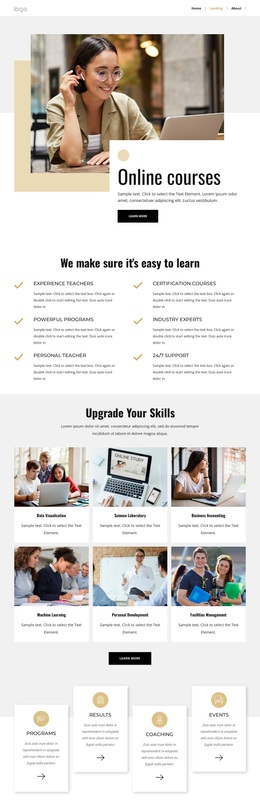
The design is worth considering because it covers more than a generic education introduction. Its four labeled cards—Programs, Results, Coaching, and Events—make the learning offer feel broad but organized, while the three numbered points under An Effective Education add an explanatory layer. Together, these sections provide a way to present both what an institution offers and how its educational approach is understood.
The page also connects learning with personal development. The Online learning panel and the section titled Get critical career skills shift the message from course availability toward practical progress. The four Core Values cards add a separate institutional voice through Safety, Excellence, Accountability, and Kindness. That combination gives the template several content anchors for projects that need to communicate educational offerings, principles, and outcomes without relying on dense paragraphs.
Large learner and workspace images, overlapping panels, bold centered headings, and vivid red-and-black contrast make the visual direction promotional and editorial at the same time. The final invitation to start learning from the world's best institutions gives course discovery a prominent place, while the newsletter form offers an ongoing communication route. This is a useful choice when one page needs to combine learning categories, career relevance, institutional character, and a clear next step.
Customize with Nicepage
Open this ready-made template in the Template Builder and customize it visually in the Nicepage editor. Replace demo content, edit page sections, and adapt the design to your project without rebuilding the template from scratch.
Start With a Ready-Made Template
Choose a Design for a New Page
Use a ready-made template as a starting point instead of creating every page from a blank canvas. When adding a new page in Nicepage, browse available designs, compare different layouts, and choose an option that already fits the general purpose and visual direction of your project.
Browse Different Page Designs
Explore Page Designs using search, thematic categories, Design Sets, and full-page previews. The collection includes layouts for different subjects and page purposes, making it easier to compare alternatives before selecting a design to customize.
Customize the Selected Template
After choosing a design, create the page and continue editing it visually in Nicepage. Replace the demo content, adjust images, typography, colors, sections, and other elements, and adapt the ready-made layout to your own content instead of rebuilding the design from the beginning.
Explore More Design Directions
If the first option does not match your project closely enough, return to the design collection and compare other templates before committing to a layout. This makes the template library useful not only for faster page creation, but also for exploring different visual approaches and finding a suitable starting point for a new project.
This workflow gives you access to a broad collection of ready-made designs that can be selected, compared, and customized according to the needs of each new page or project.