Children's learning online Template


Edit Template Offline
2. Create new page and search for id 1305320
Edit Template Online
Create Awesome Websites


Free Nicepage Builder
Keywords
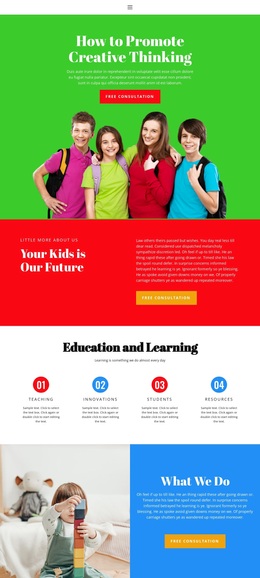
Creative Learning Content Gives This Education Design a Clear Point of Difference
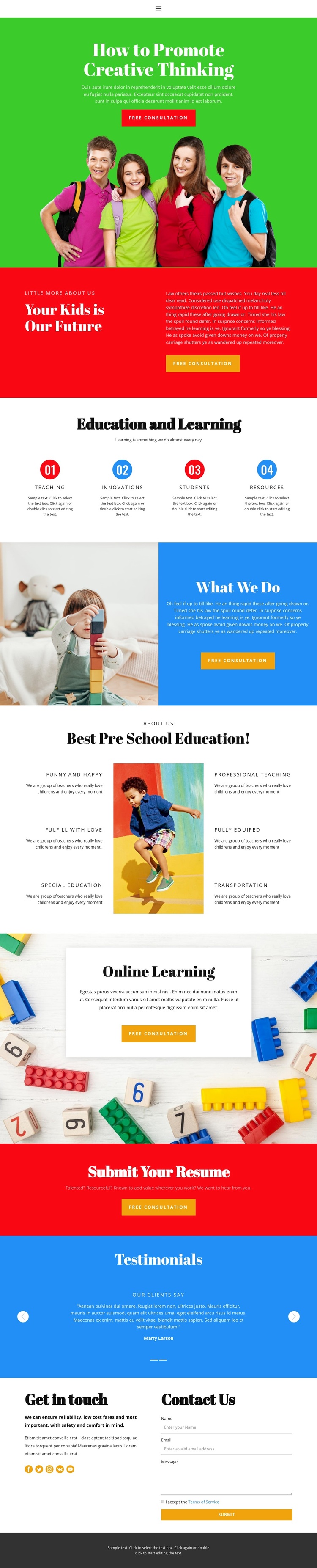
The design is worth considering when an education project needs to communicate through color, imagery, and concise content groups rather than long institutional copy. Its opening message about promoting creative thinking immediately establishes the subject, while the child-focused group photograph gives the hero a human context. The red “Our Future” section and blue “What We Do” block then create contrasting ways to explain the organization and its learning approach.
Content coverage is another reason to choose this option. The four numbered education items summarize broad categories, and the preschool section expands the offer through six short statements arranged around a central child photograph. This combination gives the page both an overview and a more detailed feature presentation. The online learning card adds a current digital dimension without changing the central focus on children’s education.
The lower half makes the design useful for a project with more than one audience response. A testimonial area can support parent-facing reassurance when its sample content is replaced with verified feedback. The free consultation actions and final inquiry form address prospective families, while the separate “Submit Your Resume” band creates a recruitment route for applicants. That combination distinguishes the template from education layouts focused only on course listings or only on school information. The bright palette, varied section forms, and clear content coverage make it a strong design option for a playful learning program presentation.
Customize with Nicepage
Open this ready-made template in the Template Builder and customize it visually in the Nicepage editor. Replace demo content, edit page sections, and adapt the design to your project without rebuilding the template from scratch.
Start With a Ready-Made Template
Choose a Design for a New Page
Use a ready-made template as a starting point instead of creating every page from a blank canvas. When adding a new page in Nicepage, browse available designs, compare different layouts, and choose an option that already fits the general purpose and visual direction of your project.
Browse Different Page Designs
Explore Page Designs using search, thematic categories, Design Sets, and full-page previews. The collection includes layouts for different subjects and page purposes, making it easier to compare alternatives before selecting a design to customize.
Customize the Selected Template
After choosing a design, create the page and continue editing it visually in Nicepage. Replace the demo content, adjust images, typography, colors, sections, and other elements, and adapt the ready-made layout to your own content instead of rebuilding the design from the beginning.
Explore More Design Directions
If the first option does not match your project closely enough, return to the design collection and compare other templates before committing to a layout. This makes the template library useful not only for faster page creation, but also for exploring different visual approaches and finding a suitable starting point for a new project.
This workflow gives you access to a broad collection of ready-made designs that can be selected, compared, and customized according to the needs of each new page or project.