Wearing trends in sports Template


Edit Template Offline
2. Create new page and search for id 30686
Edit Template Online
Create Awesome Websites


Free Nicepage Builder
Keywords
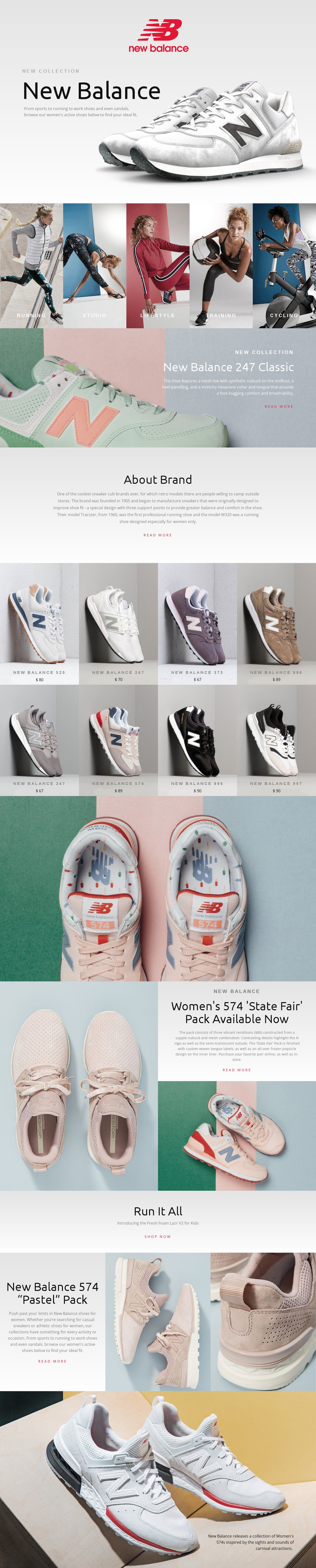
Five Activity Directions Give This Footwear Collection a Distinctive Starting Point
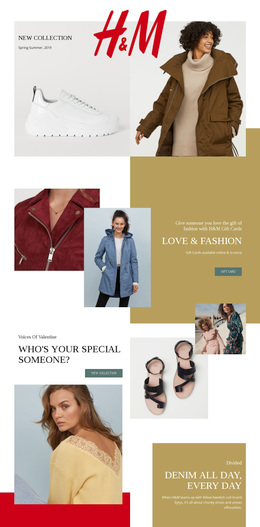
Large footwear imagery carries much of the page's identity, but the design is not limited to a single product promotion. The opening New Balance hero establishes a fashion-oriented collection mood, then the five activity panels turn that mood into a useful discovery structure. Running, Studio, Lifestyle, Training, and Cycling offer clearly different entry points, making the design suitable for a project that needs to present athletic and everyday footwear without reducing the assortment to one narrow use case.
The page also balances broad discovery with specific product detail. The eight-tile assortment gives the visitor a recognizable set of named shoes and displayed prices, while the 247 Classic, Women's 574 State Fair Pack, and 574 Pastel Pack receive larger editorial treatments with supporting photography. That contrast makes the layout more varied than a repeated catalog grid alone. About Brand adds a short narrative layer, and the Fresh Foam Lazr V2 for Kids promotion introduces a different audience within the same footwear theme. Read more links, a Shop now action, pale neutral backgrounds, muted pastel accents, and generous spacing complete a design option suited to fashion-led athletic retail storytelling.
Customize with Nicepage
Open this ready-made template in the Template Builder and customize it visually in the Nicepage editor. Replace demo content, edit page sections, and adapt the design to your project without rebuilding the template from scratch.
Start With a Ready-Made Template
Choose a Design for a New Page
Use a ready-made template as a starting point instead of creating every page from a blank canvas. When adding a new page in Nicepage, browse available designs, compare different layouts, and choose an option that already fits the general purpose and visual direction of your project.
Browse Different Page Designs
Explore Page Designs using search, thematic categories, Design Sets, and full-page previews. The collection includes layouts for different subjects and page purposes, making it easier to compare alternatives before selecting a design to customize.
Customize the Selected Template
After choosing a design, create the page and continue editing it visually in Nicepage. Replace the demo content, adjust images, typography, colors, sections, and other elements, and adapt the ready-made layout to your own content instead of rebuilding the design from the beginning.
Explore More Design Directions
If the first option does not match your project closely enough, return to the design collection and compare other templates before committing to a layout. This makes the template library useful not only for faster page creation, but also for exploring different visual approaches and finding a suitable starting point for a new project.
This workflow gives you access to a broad collection of ready-made designs that can be selected, compared, and customized according to the needs of each new page or project.