Pilates studio and sports Template



Edit Template Offline
2. Create new page and search for id 16816
Edit Template Online
Create Awesome Websites


Free Nicepage Builder
Keywords
Mind-Body Education Meets a Gallery-Led Pilates Presentation
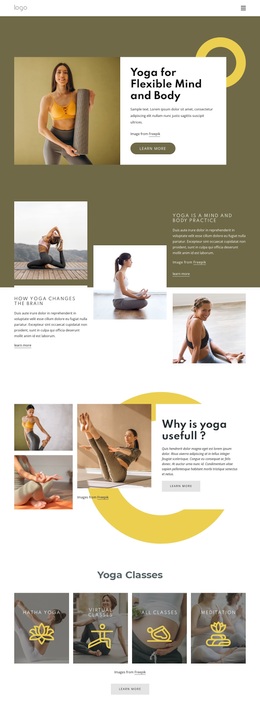
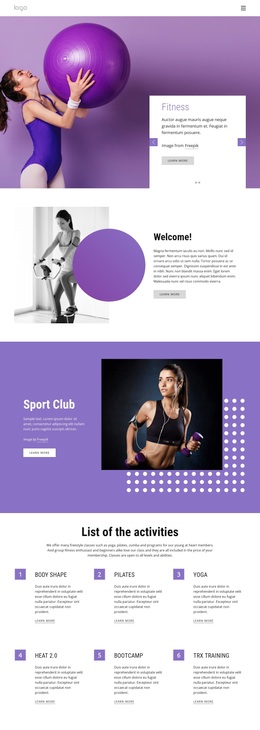
Large Pilates photography carries the first impression, but the design is not limited to a simple class promotion. The hero combines an exercise image with a Join Now action and three concrete benefit labels, immediately establishing both the subject and the intended audience. From there, the page expands into a mind-body explanation that connects movement with core strength and stability, giving the visual opening more informational depth.
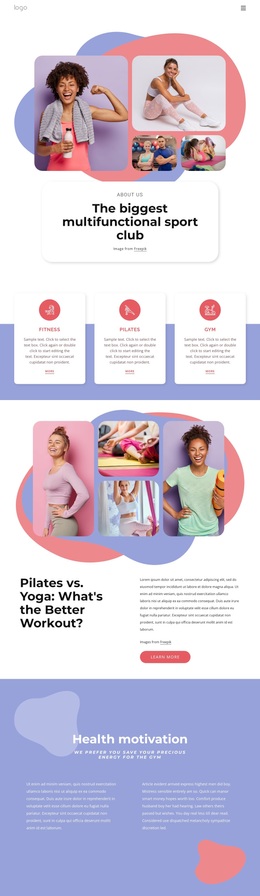
The gallery-led section makes the design especially suitable for projects that need lifestyle storytelling. One large exercise photograph is paired with editorial copy about Pilates, followed by three supporting images that add visual continuity without creating a dense wall of text. The three studio experience features—Inspirational, Innovative, and It’s about You—then introduce a concise character for the offering. Later sections broaden the coverage through Pilates benefits, Pilates and Yoga, and a six-item reasons grid.
That combination makes this design a useful option when a project needs to explain an exercise approach while retaining a calm, image-forward presentation. It covers introduction, benefits, educational content, related offering, repeated reasons, and contact prompts in one coherent direction. The dark footer with social links and Talk Pilates or Stay in Touch labels also gives the page a defined closing identity rather than ending after the last content grid.
Customize with Nicepage
Open this ready-made template in the Template Builder and customize it visually in the Nicepage editor. Replace demo content, edit page sections, and adapt the design to your project without rebuilding the template from scratch.
Start With a Ready-Made Template
Choose a Design for a New Page
Use a ready-made template as a starting point instead of creating every page from a blank canvas. When adding a new page in Nicepage, browse available designs, compare different layouts, and choose an option that already fits the general purpose and visual direction of your project.
Browse Different Page Designs
Explore Page Designs using search, thematic categories, Design Sets, and full-page previews. The collection includes layouts for different subjects and page purposes, making it easier to compare alternatives before selecting a design to customize.
Customize the Selected Template
After choosing a design, create the page and continue editing it visually in Nicepage. Replace the demo content, adjust images, typography, colors, sections, and other elements, and adapt the ready-made layout to your own content instead of rebuilding the design from the beginning.
Explore More Design Directions
If the first option does not match your project closely enough, return to the design collection and compare other templates before committing to a layout. This makes the template library useful not only for faster page creation, but also for exploring different visual approaches and finding a suitable starting point for a new project.
This workflow gives you access to a broad collection of ready-made designs that can be selected, compared, and customized according to the needs of each new page or project.