Clean energy to save nature Joomla Template


Edit Template Offline
2. Create new page and search for id 21777
Edit Template Online
Create Awesome Websites


Free Nicepage Builder
Keywords
Initiatives, Navigation, and Projects Divide the Content Clearly
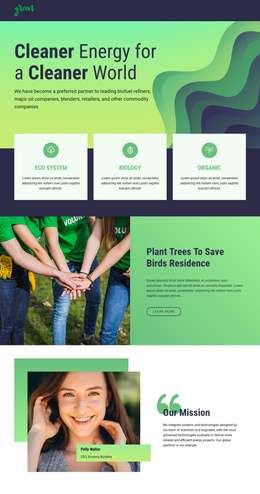
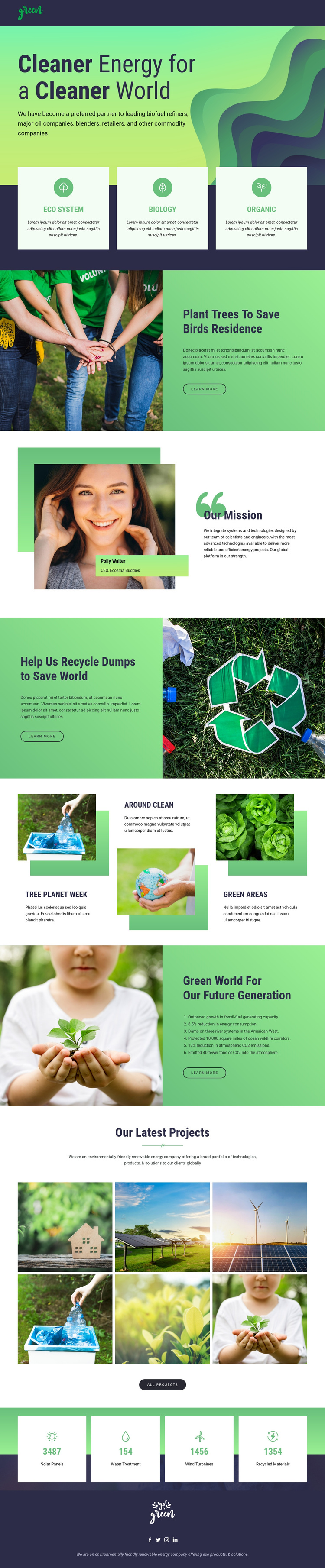
The page separates environmental information into content regions that are easy to understand in a CMS-oriented project. The dark header provides shared navigation, while the hero establishes the renewable-energy subject before three category cards introduce Eco System, Biology, and Organic. Those categories can be treated as an overview layer, with the later tree-planting and recycling sections carrying more specific initiative information. The structure supports organized content without claiming that Joomla Articles or categories already exist in the source template.
The “Our Mission” section gives the page a distinct organizational voice through its portrait panel and mission copy. A separate future-generation section uses a numbered list and a “Learn more” link, while the three-item mosaic highlights additional environmental activity. Together, these regions create several structured information areas rather than one undifferentiated text stream. The six-image “Our Latest Projects” gallery can represent a visual project area, and the four counters can remain a separate metrics region whose sample values should be verified before publication.
Navigation and the footer are especially important for keeping the content system coherent. The footer includes Facebook, Twitter, Instagram, and LinkedIn links, while the header and mobile-navigation component frame the page on different screen sizes. In a Joomla project, these recurring regions can remain visually coordinated as site content evolves. A Joomla implementation may use the Joomla Extension when the project requires supported CMS content integration, but the template-specific value lies in how its initiative, mission, gallery, and navigation areas already relate.
Customize with Nicepage
Open this ready-made template in the Joomla Page Builder and customize it visually in the Nicepage editor. Replace demo content, edit page sections, and adapt the design to your project without rebuilding the template from scratch.
Work With This Template in Joomla
Customize and Install the Joomla Template
Start with this ready-made template instead of building the Joomla design from scratch. Customize its layout, content, typography, images, sections, and other design elements visually in the Nicepage application, then export and install the Joomla Template, Nicepage Extension, and supported content on your Joomla website.
Edit the Template Directly in Joomla
After installation, you can edit the Joomla Template directly in Joomla with the Nicepage Joomla Extension. Customize the Header, Footer, Colors, Fonts, typography, and Page Templates from the Joomla workflow while keeping the site design connected with your CMS content.
Edit Joomla Articles Visually
Use the Nicepage Joomla Extension to open and edit Joomla Articles visually from the Joomla Administrator. Change text, images, sections, layouts, and other page content in the Nicepage editor while continuing to manage the Articles through Joomla.
Joomla Content and Template Integration
Use the customized template together with Joomla Articles, module Positions, menus, forms, Blog Pages, and other supported CMS elements. With the Nicepage Extension used as the Site Style Source, shared design settings can be applied across Joomla Articles while Joomla continues to provide the CMS environment for managing site content.
This workflow combines a ready-made Joomla Template with visual customization, direct template editing in Joomla, and continued content management through the Nicepage Joomla Extension.