Beauty simplicity of nature Joomla Template


Edit Template Offline
2. Create new page and search for id 80962
Edit Template Online
Create Awesome Websites


Free Nicepage Builder
Keywords
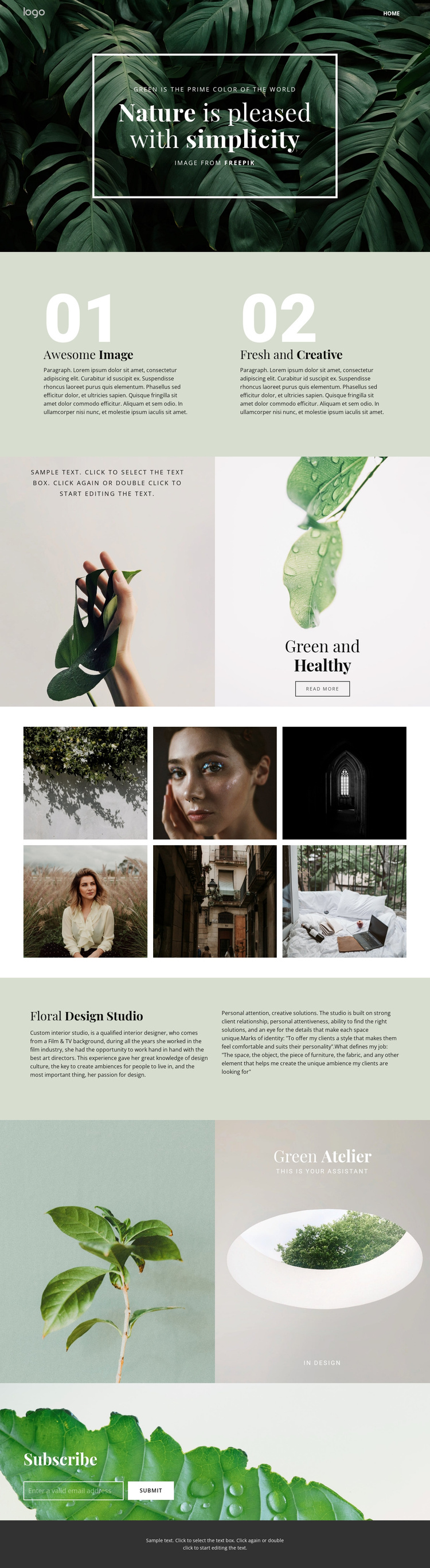
Studio Information and Gallery Content Divide the Design Into Manageable Site Regions
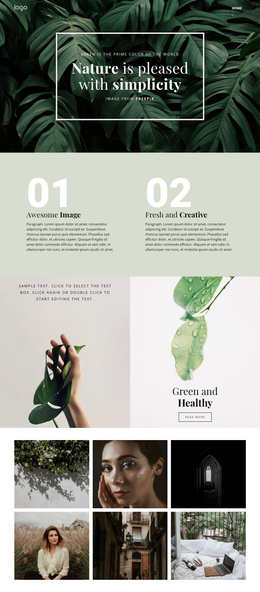
The page separates its content into recognizable regions that can be organized within a CMS-managed site. The compact header establishes the navigation area, while the hero introduces the nature-focused direction without competing with the more detailed studio information that follows. Green and Healthy adds a paired image-and-copy region with a read-more action, creating a distinct place for expanded service or project information when the site requires it.
The six-image gallery supplies a second important content group. Rather than treating the photographs as isolated decoration, the layout gathers them into a compact portfolio area that can represent selected interior or floral work. The Floral Design Studio section then gives the page a structured informational region, with a title on one side and supporting copy across the pale green panel. This relationship suits recurring descriptive content while preserving the same visual system.
Green Atelier and the final Subscribe block provide additional shared regions. The former carries a short brand statement through paired imagery; the latter gives visitors a direct email response point over a leafy background. A centered dark footer completes the page and can serve as a consistent closing area. These relationships make the design suitable for Joomla-oriented content organization without claiming that specific Joomla Articles, categories, or modules already exist in the template.
Customize with Nicepage
Open this ready-made template in the Joomla Page Builder and customize it visually in the Nicepage editor. Replace demo content, edit page sections, and adapt the design to your project without rebuilding the template from scratch.
Work With This Template in Joomla
Customize and Install the Joomla Template
Start with this ready-made template instead of building the Joomla design from scratch. Customize its layout, content, typography, images, sections, and other design elements visually in the Nicepage application, then export and install the Joomla Template, Nicepage Extension, and supported content on your Joomla website.
Edit the Template Directly in Joomla
After installation, you can edit the Joomla Template directly in Joomla with the Nicepage Joomla Extension. Customize the Header, Footer, Colors, Fonts, typography, and Page Templates from the Joomla workflow while keeping the site design connected with your CMS content.
Edit Joomla Articles Visually
Use the Nicepage Joomla Extension to open and edit Joomla Articles visually from the Joomla Administrator. Change text, images, sections, layouts, and other page content in the Nicepage editor while continuing to manage the Articles through Joomla.
Joomla Content and Template Integration
Use the customized template together with Joomla Articles, module Positions, menus, forms, Blog Pages, and other supported CMS elements. With the Nicepage Extension used as the Site Style Source, shared design settings can be applied across Joomla Articles while Joomla continues to provide the CMS environment for managing site content.
This workflow combines a ready-made Joomla Template with visual customization, direct template editing in Joomla, and continued content management through the Nicepage Joomla Extension.