Smart Bottle Joomla Template
Edit Template Offline
2. Create new page and search for id 13068
Edit Template Online
Create Awesome Websites


Free Nicepage Builder
Keywords
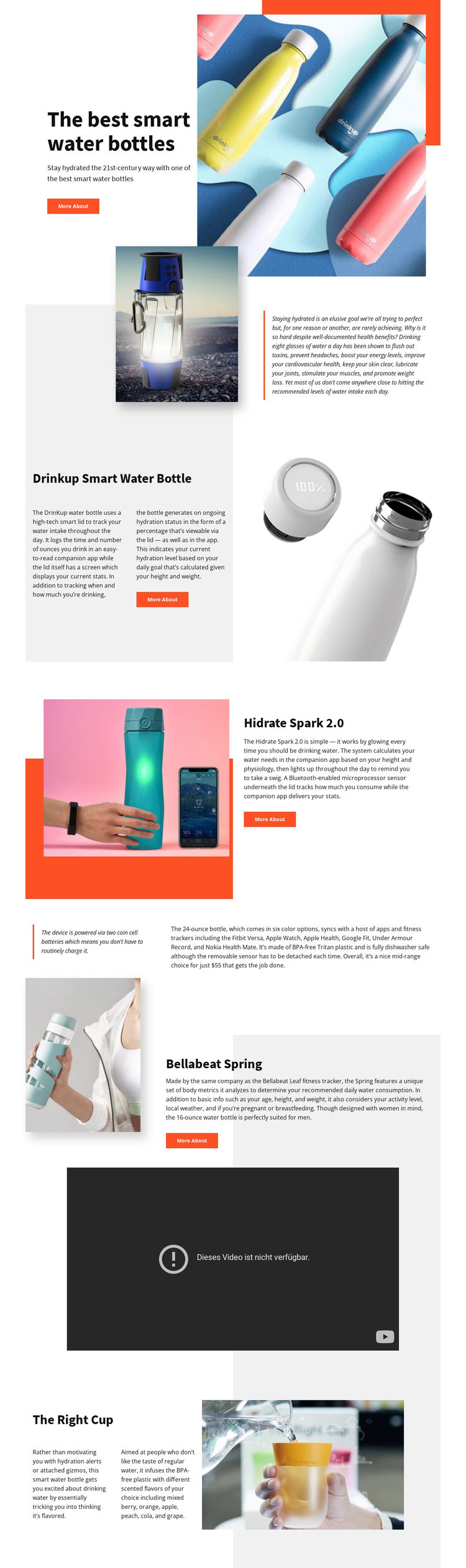
Named Bottle Sections Divide the Showcase Into Managed Content Areas
The product names and repeated split sections give this design a clear set of information areas for a Joomla-managed showcase. The hero introduces the broader smart water bottle category, while Drinkup Smart Water Bottle, Hidrate Spark 2.0, Bellabeat Spring, and The Right Cup each receive a distinct presentation with descriptive text and product imagery. These divisions make it easier to understand which content belongs to which product without losing the shared visual direction of the page.
The short supporting statement provides a compact editorial area between product groups, and the centered video section creates a separate media region. Together, these areas form a useful relationship between structured information, visual product evidence, and richer presentation content. Calls to action appear within the product flow, so they can remain associated with the relevant product rather than being treated as unrelated site-wide messaging.
For Joomla use, the design is best understood as coordinated content regions rather than as a generic product list. Navigation can lead visitors through the broader showcase and its product areas, while the page’s repeated section pattern keeps recurring information visually connected. The template does not prove that Joomla Articles or modules already exist; its strength is that the visible product and media structure can be adapted to CMS-managed content without changing the page’s central organization.
Customize with Nicepage
Open this ready-made template in the Joomla Page Builder and customize it visually in the Nicepage editor. Replace demo content, edit page sections, and adapt the design to your project without rebuilding the template from scratch.
Work With This Template in Joomla
Customize and Install the Joomla Template
Start with this ready-made template instead of building the Joomla design from scratch. Customize its layout, content, typography, images, sections, and other design elements visually in the Nicepage application, then export and install the Joomla Template, Nicepage Extension, and supported content on your Joomla website.
Edit the Template Directly in Joomla
After installation, you can edit the Joomla Template directly in Joomla with the Nicepage Joomla Extension. Customize the Header, Footer, Colors, Fonts, typography, and Page Templates from the Joomla workflow while keeping the site design connected with your CMS content.
Edit Joomla Articles Visually
Use the Nicepage Joomla Extension to open and edit Joomla Articles visually from the Joomla Administrator. Change text, images, sections, layouts, and other page content in the Nicepage editor while continuing to manage the Articles through Joomla.
Joomla Content and Template Integration
Use the customized template together with Joomla Articles, module Positions, menus, forms, Blog Pages, and other supported CMS elements. With the Nicepage Extension used as the Site Style Source, shared design settings can be applied across Joomla Articles while Joomla continues to provide the CMS environment for managing site content.
This workflow combines a ready-made Joomla Template with visual customization, direct template editing in Joomla, and continued content management through the Nicepage Joomla Extension.