Data Center security solutions Joomla Template
Edit Template Offline
2. Create new page and search for id 313607
Edit Template Online
Create Awesome Websites


Free Nicepage Builder
Keywords
Service Regions Give the Joomla Layout a Clear Content Map
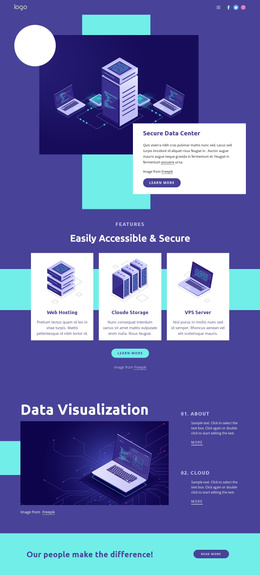
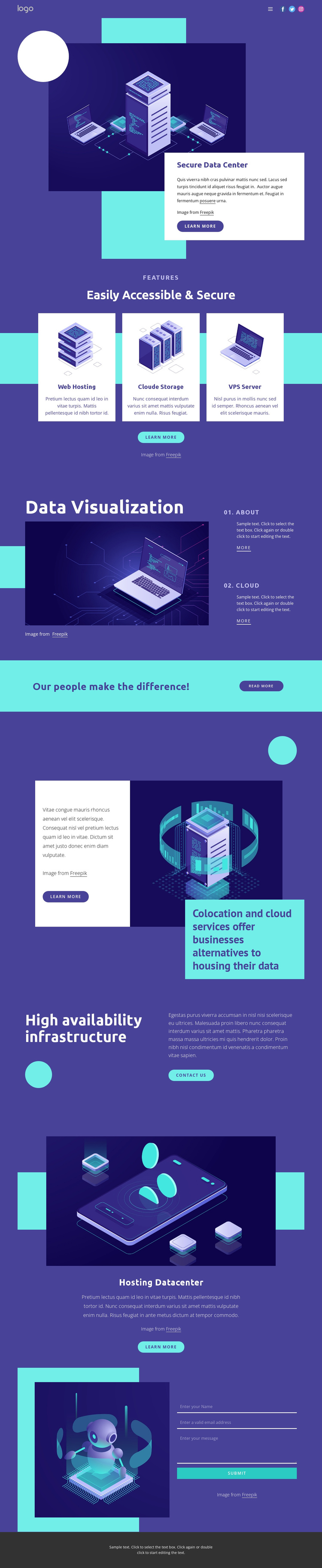
The page separates infrastructure information into recognizable regions that can be managed as coordinated site content. The header provides a shared navigation area with branding and social links, while the opening Secure Data Center block introduces the subject through a heading, explanatory card, server illustration, and learn-more action. This gives the site a stable entry region before visitors reach the more specific service categories.
The three peer cards for Web Hosting, Cloud Storage, and VPS Server are especially suited to recurring structured information because each item has the same visual role while carrying a different service subject. The Data Visualization section then introduces two numbered topics, 01. About and 02. Cloud, creating a separate informational area rather than extending the service-card group indefinitely. Colocation and cloud services, high availability infrastructure, and Hosting Datacenter content provide additional regions for organized service descriptions and infrastructure explanations.
The contact form near the end serves a different content purpose: it is the response area after the visitor has encountered the service categories and capability statements. The footer closes the shared page structure. In a Joomla project, these relationships give menus, service information, supporting sections, and contact content a coherent visual arrangement while the CMS manages the site’s structured information. The interpretation concerns content regions, not an unsupported claim that Joomla Articles or modules already exist in the template.
Customize with Nicepage
Open this ready-made template in the Joomla Page Builder and customize it visually in the Nicepage editor. Replace demo content, edit page sections, and adapt the design to your project without rebuilding the template from scratch.
Work With This Template in Joomla
Customize and Install the Joomla Template
Start with this ready-made template instead of building the Joomla design from scratch. Customize its layout, content, typography, images, sections, and other design elements visually in the Nicepage application, then export and install the Joomla Template, Nicepage Extension, and supported content on your Joomla website.
Edit the Template Directly in Joomla
After installation, you can edit the Joomla Template directly in Joomla with the Nicepage Joomla Extension. Customize the Header, Footer, Colors, Fonts, typography, and Page Templates from the Joomla workflow while keeping the site design connected with your CMS content.
Edit Joomla Articles Visually
Use the Nicepage Joomla Extension to open and edit Joomla Articles visually from the Joomla Administrator. Change text, images, sections, layouts, and other page content in the Nicepage editor while continuing to manage the Articles through Joomla.
Joomla Content and Template Integration
Use the customized template together with Joomla Articles, module Positions, menus, forms, Blog Pages, and other supported CMS elements. With the Nicepage Extension used as the Site Style Source, shared design settings can be applied across Joomla Articles while Joomla continues to provide the CMS environment for managing site content.
This workflow combines a ready-made Joomla Template with visual customization, direct template editing in Joomla, and continued content management through the Nicepage Joomla Extension.