Quality app development Joomla Template



Edit Template Offline
2. Create new page and search for id 284799
Edit Template Online
Create Awesome Websites


Free Nicepage Builder
Keywords
Development Stages and Reusable Content Regions Suit a CMS Layout
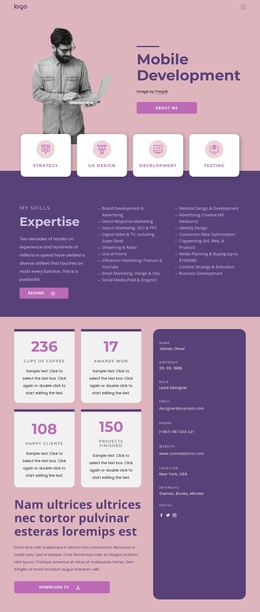
The opening hero divides the mobile app offering into four recognizable content areas: Strategy, UX Design, Development, and Testing. That division gives a Joomla-managed presentation a useful information structure because each stage can remain visually connected while its explanatory content is maintained within an organized service layout. The following food delivery app section adds a separate project example, pairing descriptive text with an app image and a Read more action.
Additional regions support a broader content hierarchy. The company introduction establishes an identity area, the Android and iPhone section focuses on a defined service category, and the full-cycle section presents another structured service statement. The team collage then shifts from capabilities to people and workplace context. Three repeated cards for Strategy, Concept, and Development provide another consistent region for maintaining related capability information.
The FAQ accordion creates a dedicated area for recurring questions without mixing those answers into the service descriptions. Near the end, the contact section groups telephone, quote-request, and email options into three visible channels, followed by a shared footer bar. This separation of services, project context, team content, questions, and contact information gives the design clear CMS-oriented regions. A Joomla implementation could preserve the visual relationships while keeping the content areas organized for ongoing site management.
Customize with Nicepage
Open this ready-made template in the Joomla Page Builder and customize it visually in the Nicepage editor. Replace demo content, edit page sections, and adapt the design to your project without rebuilding the template from scratch.
Work With This Template in Joomla
Customize and Install the Joomla Template
Start with this ready-made template instead of building the Joomla design from scratch. Customize its layout, content, typography, images, sections, and other design elements visually in the Nicepage application, then export and install the Joomla Template, Nicepage Extension, and supported content on your Joomla website.
Edit the Template Directly in Joomla
After installation, you can edit the Joomla Template directly in Joomla with the Nicepage Joomla Extension. Customize the Header, Footer, Colors, Fonts, typography, and Page Templates from the Joomla workflow while keeping the site design connected with your CMS content.
Edit Joomla Articles Visually
Use the Nicepage Joomla Extension to open and edit Joomla Articles visually from the Joomla Administrator. Change text, images, sections, layouts, and other page content in the Nicepage editor while continuing to manage the Articles through Joomla.
Joomla Content and Template Integration
Use the customized template together with Joomla Articles, module Positions, menus, forms, Blog Pages, and other supported CMS elements. With the Nicepage Extension used as the Site Style Source, shared design settings can be applied across Joomla Articles while Joomla continues to provide the CMS environment for managing site content.
This workflow combines a ready-made Joomla Template with visual customization, direct template editing in Joomla, and continued content management through the Nicepage Joomla Extension.