Flex 2 Joomla Template


Edit Template Offline
2. Create new page and search for id 18333
Edit Template Online
Create Awesome Websites


Free Nicepage Builder
Keywords
Feature groups and connectivity content suit structured CMS regions
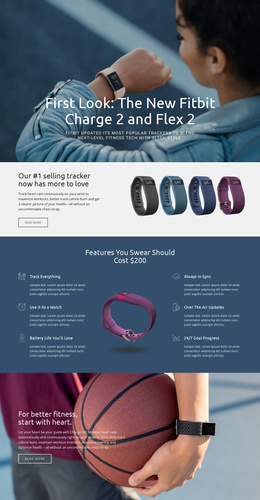
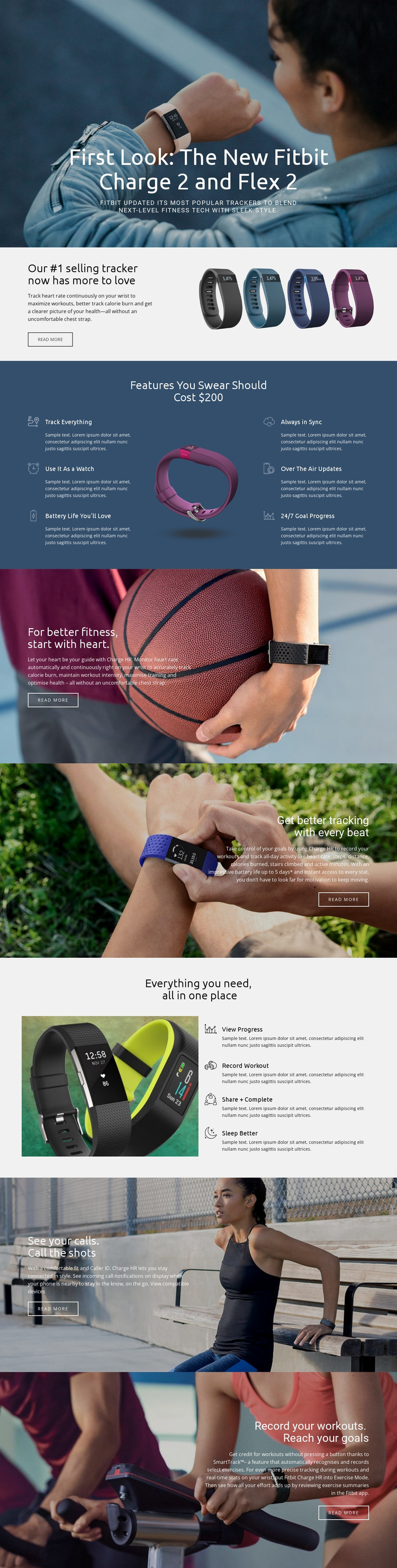
The six-item feature section gives the design a useful set of recurring information areas. “Track Everything,” “Use It As a Watch,” “Battery Life You’ll Love,” “Always in Sync,” “Over The Air Updates,” and “24/7 Goal Progress” are clearly separated from the surrounding product imagery, so each topic can be treated as a distinct content unit while retaining the same page presentation. The later group of four actions adds another structured region focused on viewing progress, recording workouts, sharing results, and sleeping better.
Other sections divide the product story by subject rather than by arbitrary visual breaks. Continuous heart-rate monitoring has its own split area, while caller ID and incoming call notifications appear with the “View compatible devices” link. SmartTrack and automated exercise recording form a separate workout-oriented subject. Together, these areas resemble a set of organized information regions that can support navigation and recurring editorial updates in a CMS-managed project.
The shared image treatment, text panels, and product visuals keep those regions connected even when their content roles differ. In a Joomla implementation, the design can therefore provide a coordinated presentation for structured product information, feature descriptions, compatibility content, and contact or navigation additions without claiming that Joomla Articles or module positions already exist in this template. The important fit comes from the page’s division into reusable subject areas.
Customize with Nicepage
Open this ready-made template in the Joomla Page Builder and customize it visually in the Nicepage editor. Replace demo content, edit page sections, and adapt the design to your project without rebuilding the template from scratch.
Work With This Template in Joomla
Customize and Install the Joomla Template
Start with this ready-made template instead of building the Joomla design from scratch. Customize its layout, content, typography, images, sections, and other design elements visually in the Nicepage application, then export and install the Joomla Template, Nicepage Extension, and supported content on your Joomla website.
Edit the Template Directly in Joomla
After installation, you can edit the Joomla Template directly in Joomla with the Nicepage Joomla Extension. Customize the Header, Footer, Colors, Fonts, typography, and Page Templates from the Joomla workflow while keeping the site design connected with your CMS content.
Edit Joomla Articles Visually
Use the Nicepage Joomla Extension to open and edit Joomla Articles visually from the Joomla Administrator. Change text, images, sections, layouts, and other page content in the Nicepage editor while continuing to manage the Articles through Joomla.
Joomla Content and Template Integration
Use the customized template together with Joomla Articles, module Positions, menus, forms, Blog Pages, and other supported CMS elements. With the Nicepage Extension used as the Site Style Source, shared design settings can be applied across Joomla Articles while Joomla continues to provide the CMS environment for managing site content.
This workflow combines a ready-made Joomla Template with visual customization, direct template editing in Joomla, and continued content management through the Nicepage Joomla Extension.