Profession table WordPress Theme


Permanent Team Information Fits a WordPress-Managed Page Section
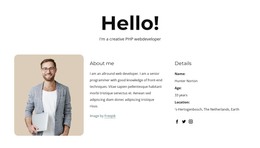
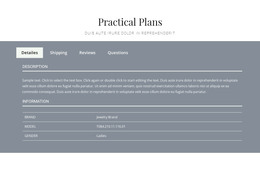
The image, paragraph, and employee table read as stable page content rather than as a time-sensitive feed. In a WordPress-managed project, this makes the block a natural fit for a team or organizational page section where staff information is presented in a consistent visual arrangement. The table keeps three employee records together and gives each row the same six fields: Name and e-mail, Code, Designation, Phone, and Joining Date.
The designation column shows Developer, Designer, and Manager as comparable role labels, while the cyan-blue header separates field names from record values. The accented first column helps identify the employee information as the starting point for each row, and centered text with generous spacing keeps the data readable within the section. Above it, the portrait-oriented monochrome image and supporting paragraph provide context before the page reaches the more detailed directory. This content model can remain one publishable section while a wider WordPress site handles other page areas and editorial material around it. The block’s visual treatment—light gray background, compact sans-serif type, and restrained cyan accents—also offers a consistent pattern for related permanent content without turning the section itself into a complete theme or site structure.
Customize with Nicepage
Open this ready-made template in the WordPress Website Builder and customize it visually in the Nicepage editor. Replace demo content, edit page sections, and adapt the design to your project without rebuilding the template from scratch.
Edit Template Offline
2. Create a new page or select existing
3. Click Add new block, search for id 954077 and click enter
Edit Template Online
Create Awesome Websites


Free Nicepage Builder
Keywords
Manage and Edit This Theme in WordPress
Customize and Install the WordPress Theme
Start with this ready-made theme instead of building the WordPress design from scratch. Customize its layout, content, typography, images, sections, and other design elements visually in Nicepage editor, then export and install the WordPress Theme, Plugin, and Pages on your WordPress site. The Nicepage WordPress Plugin lets you continue working with the site after installation.
Edit the Theme Directly in WordPress
After installation, you can edit the WordPress Theme directly in WordPress with the Nicepage WordPress Plugin. Use Site Style to customize site Colors, Fonts, Header, Footer, Blog, and Post Page Templates while working within your WordPress website.
Edit WordPress Pages Visually
Use the Nicepage WordPress Plugin to edit page content directly from the WordPress admin area. Open a WordPress Page with Nicepage and visually change its text, images, sections, and other page elements while continuing to manage the Page through WordPress.
WordPress Content and Theme Integration
Use the customized theme with WordPress Pages, Posts, Blog and Post Templates, menus, widgets, and other CMS-managed content. Shared theme elements such as Colors, Fonts, Header, Footer, Blog, and Post Page Templates can be managed as part of the overall site design, while WordPress provides the CMS environment for managing site content.
This workflow combines a ready-made WordPress Theme with visual customization, direct theme editing in WordPress, and continued content management through the Nicepage WordPress Plugin.