Consulting with the best WordPress Theme


A Portrait-Led Content Area for WordPress Pages
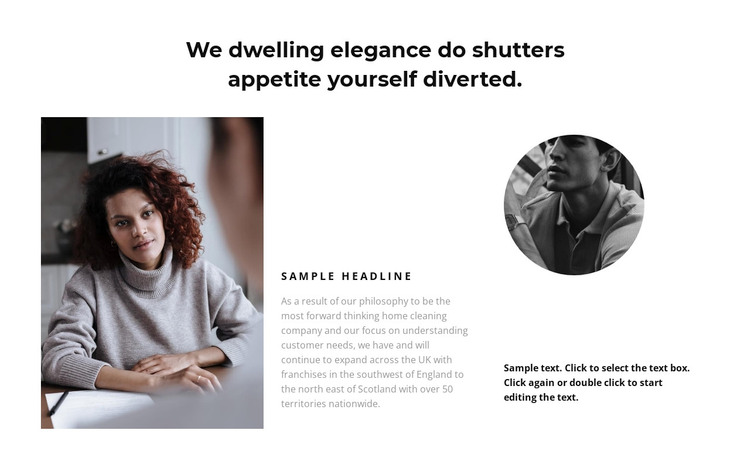
The centered heading and three-column row give this section the character of stable page content rather than a time-based listing. The large rectangular portrait on the left establishes the visual entry point, the central short heading and longer paragraph provide the most developed explanation, and the right column adds a circular monochrome portrait above supporting text. In a WordPress-managed page, that arrangement can present an about or company-introduction message while the surrounding project handles other content areas.
The content relationships are clear enough to preserve during editing: the heading introduces the subject, the center column carries the primary explanation, and the two side image treatments frame that explanation with different visual weights. The rectangular portrait feels substantial, while the circular monochrome image works as a compact secondary marker. A white background, generous spacing, dark headings, and muted gray copy keep these groups readable without adding interaction or requiring a more complex component.
For a WordPress-oriented project, the block can remain a reusable visual section for permanent page information. Its sample wording and portraits can be replaced with organization-specific material, but the underlying pattern stays consistent. The section does not become a complete WordPress Theme; it contributes one publishable content region that can sit alongside services, portfolio, contact, or other page sections within the wider site.
Customize with Nicepage
Open this ready-made template in the WordPress Website Builder and customize it visually in the Nicepage editor. Replace demo content, edit page sections, and adapt the design to your project without rebuilding the template from scratch.
Edit Template Offline
2. Create a new page or select existing
3. Click Add new block, search for id 858292 and click enter
Edit Template Online
Create Awesome Websites


Free Nicepage Builder
Keywords
Manage and Edit This Theme in WordPress
Customize and Install the WordPress Theme
Start with this ready-made theme instead of building the WordPress design from scratch. Customize its layout, content, typography, images, sections, and other design elements visually in Nicepage editor, then export and install the WordPress Theme, Plugin, and Pages on your WordPress site. The Nicepage WordPress Plugin lets you continue working with the site after installation.
Edit the Theme Directly in WordPress
After installation, you can edit the WordPress Theme directly in WordPress with the Nicepage WordPress Plugin. Use Site Style to customize site Colors, Fonts, Header, Footer, Blog, and Post Page Templates while working within your WordPress website.
Edit WordPress Pages Visually
Use the Nicepage WordPress Plugin to edit page content directly from the WordPress admin area. Open a WordPress Page with Nicepage and visually change its text, images, sections, and other page elements while continuing to manage the Page through WordPress.
WordPress Content and Theme Integration
Use the customized theme with WordPress Pages, Posts, Blog and Post Templates, menus, widgets, and other CMS-managed content. Shared theme elements such as Colors, Fonts, Header, Footer, Blog, and Post Page Templates can be managed as part of the overall site design, while WordPress provides the CMS environment for managing site content.
This workflow combines a ready-made WordPress Theme with visual customization, direct theme editing in WordPress, and continued content management through the Nicepage WordPress Plugin.