Industrial building WordPress Theme


A building photograph and skyline image create stable WordPress page content
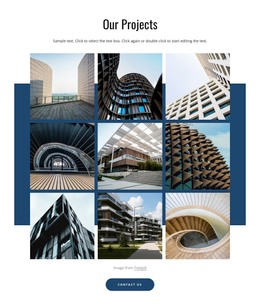
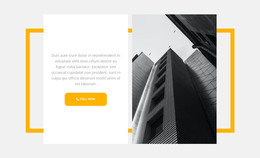
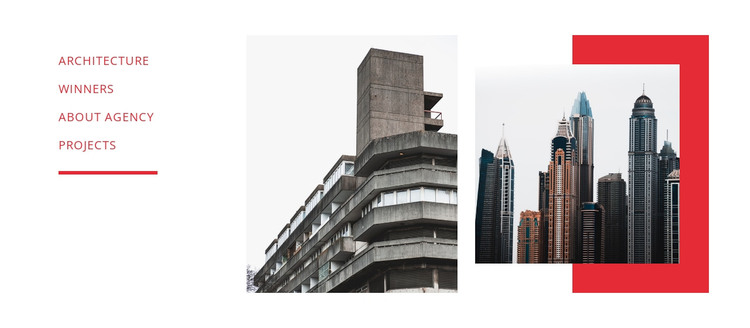
The section's content is divided into a compact label group and two permanent visual subjects. Architecture, Winners, About Agency, and Projects give the left side a concise project-oriented structure, with the red underline marking the group as a separate content region. The central concrete-and-glass building photograph supplies a specific architectural focus. To its right, the dense city skyline photograph shifts the view toward the surrounding urban setting, and the red rectangular accent gives that image a deliberate frame rather than leaving it as an isolated picture.
For a WordPress-managed page, this block can function as stable architecture or portfolio content within a broader page layout. The labels can identify related destinations or content areas around the visual showcase, while other page sections can carry longer descriptions, project details, or contact information. Because the block already separates its link list from its two image regions, it can be reused as a distinct section without asking the surrounding page to reproduce its internal composition.
The visual relationship is also useful when a WordPress project needs a section that presents both a built object and its urban context. Red text, the underline, and the geometric image frame provide recurring accents, while the white space prevents the photographs from merging into one dense panel. The result is a recognizable page-content unit that can sit alongside other managed sections while retaining its own architecture-focused identity.
Customize with Nicepage
Open this ready-made template in the WordPress Website Builder and customize it visually in the Nicepage editor. Replace demo content, edit page sections, and adapt the design to your project without rebuilding the template from scratch.
Edit Template Offline
2. Create a new page or select existing
3. Click Add new block, search for id 68899 and click enter
Edit Template Online
Create Awesome Websites


Free Nicepage Builder
Keywords
Manage and Edit This Theme in WordPress
Customize and Install the WordPress Theme
Start with this ready-made theme instead of building the WordPress design from scratch. Customize its layout, content, typography, images, sections, and other design elements visually in Nicepage editor, then export and install the WordPress Theme, Plugin, and Pages on your WordPress site. The Nicepage WordPress Plugin lets you continue working with the site after installation.
Edit the Theme Directly in WordPress
After installation, you can edit the WordPress Theme directly in WordPress with the Nicepage WordPress Plugin. Use Site Style to customize site Colors, Fonts, Header, Footer, Blog, and Post Page Templates while working within your WordPress website.
Edit WordPress Pages Visually
Use the Nicepage WordPress Plugin to edit page content directly from the WordPress admin area. Open a WordPress Page with Nicepage and visually change its text, images, sections, and other page elements while continuing to manage the Page through WordPress.
WordPress Content and Theme Integration
Use the customized theme with WordPress Pages, Posts, Blog and Post Templates, menus, widgets, and other CMS-managed content. Shared theme elements such as Colors, Fonts, Header, Footer, Blog, and Post Page Templates can be managed as part of the overall site design, while WordPress provides the CMS environment for managing site content.
This workflow combines a ready-made WordPress Theme with visual customization, direct theme editing in WordPress, and continued content management through the Nicepage WordPress Plugin.