Trusted Legal Advisors WordPress Theme


Edit Template Offline
2. Create new page and search for id 6321381
Edit Template Online
Create Awesome Websites


Free Nicepage Builder
Keywords
Question Content and Practice Profiles Give the Theme Editorial Range
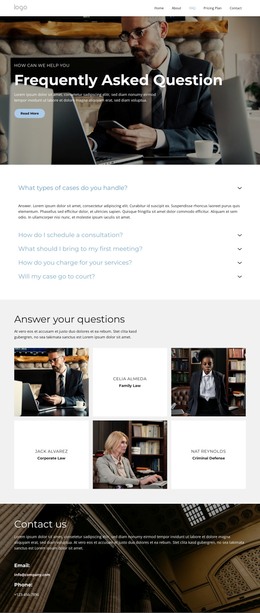
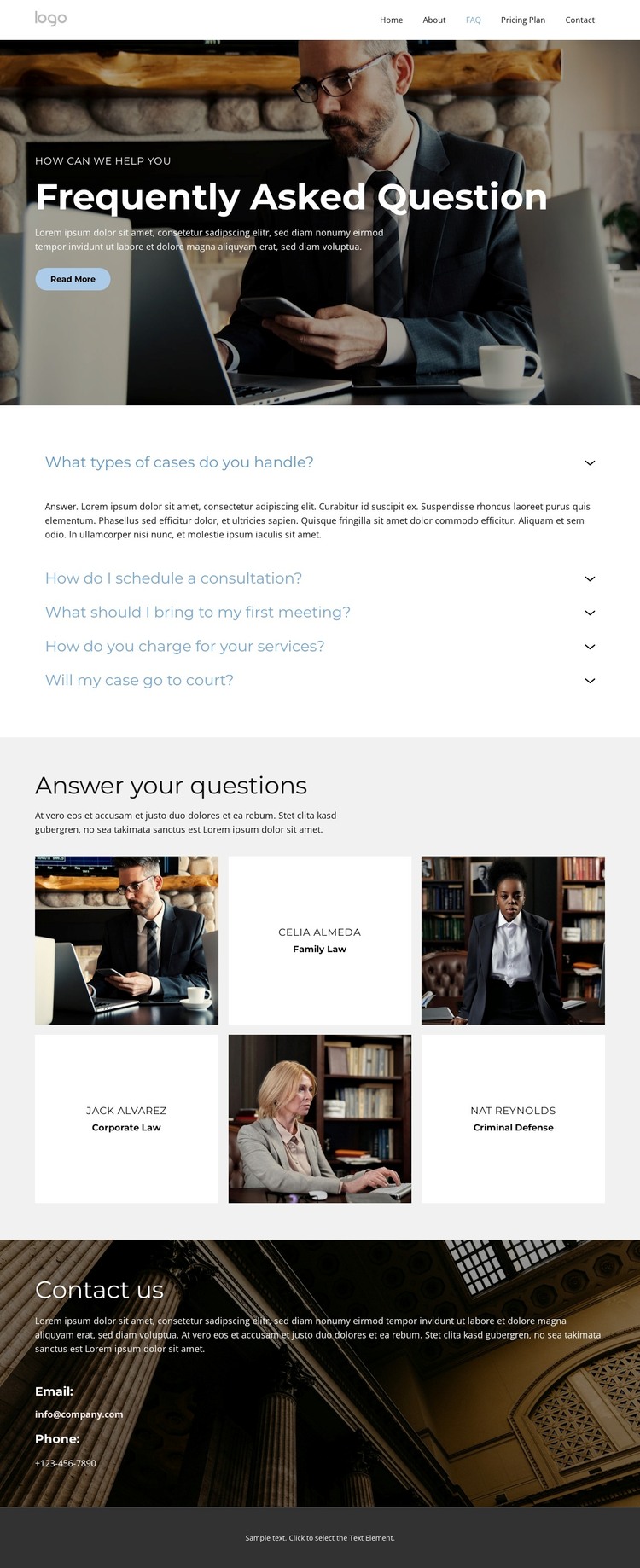
The accordion is the strongest content-oriented feature in this design because it divides legal information into five separate question areas. Questions about case types, consultations, first meetings, fees, and court proceedings can be treated as distinct page content rather than one uninterrupted explanation. The first answer is expanded initially, showing how a featured response can introduce the information while the remaining questions stay available for later reading.
The three profile tiles create a second content relationship. Family Law, Corporate Law, and Criminal Defense are not presented as one undifferentiated legal offering; each appears with a representative image, a name, and a practice label. That arrangement can support permanent page content in a WordPress-managed site, while additional editorial material could naturally develop around the practice areas without changing the central visual direction. The page therefore combines reference information with people-focused content.
The shared navigation, image-led hero, and contact details help these content types remain part of one theme presentation. The hero supplies the introductory context and Read More action, while the email and phone area gives visitors a clear endpoint after reviewing answers and profiles. In a WordPress project, the value lies in keeping these page-oriented sections visually coordinated as legal information is revised, expanded, or connected to other site content.
Customize with Nicepage
Open this ready-made template in the WordPress Website Builder and customize it visually in the Nicepage editor. Replace demo content, edit page sections, and adapt the design to your project without rebuilding the template from scratch.
Manage and Edit This Theme in WordPress
Customize and Install the WordPress Theme
Start with this ready-made theme instead of building the WordPress design from scratch. Customize its layout, content, typography, images, sections, and other design elements visually in Nicepage editor, then export and install the WordPress Theme, Plugin, and Pages on your WordPress site. The Nicepage WordPress Plugin lets you continue working with the site after installation.
Edit the Theme Directly in WordPress
After installation, you can edit the WordPress Theme directly in WordPress with the Nicepage WordPress Plugin. Use Site Style to customize site Colors, Fonts, Header, Footer, Blog, and Post Page Templates while working within your WordPress website.
Edit WordPress Pages Visually
Use the Nicepage WordPress Plugin to edit page content directly from the WordPress admin area. Open a WordPress Page with Nicepage and visually change its text, images, sections, and other page elements while continuing to manage the Page through WordPress.
WordPress Content and Theme Integration
Use the customized theme with WordPress Pages, Posts, Blog and Post Templates, menus, widgets, and other CMS-managed content. Shared theme elements such as Colors, Fonts, Header, Footer, Blog, and Post Page Templates can be managed as part of the overall site design, while WordPress provides the CMS environment for managing site content.
This workflow combines a ready-made WordPress Theme with visual customization, direct theme editing in WordPress, and continued content management through the Nicepage WordPress Plugin.