Want some advice? WordPress Theme



Edit Template Offline
2. Create new page and search for id 6215615
Edit Template Online
Create Awesome Websites


Free Nicepage Builder
Keywords
Service Content and Repeated Testimonials Support a WordPress Theme Structure
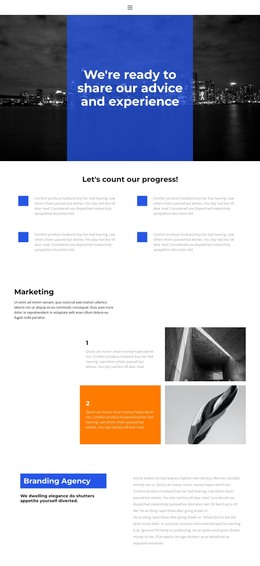
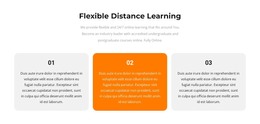
The Marketing and Branding Agency sections provide distinct page-oriented content areas, while the search-results block adds a focused explanation of capabilities. Its three panels separate the lead claim from Team of Experts and Award Winner, which gives a WordPress project several content relationships to preserve when service information is expanded or revised. The repeated card treatment also makes the page suitable for organizing related descriptions without changing the visual direction established by the hero and color-block accents.
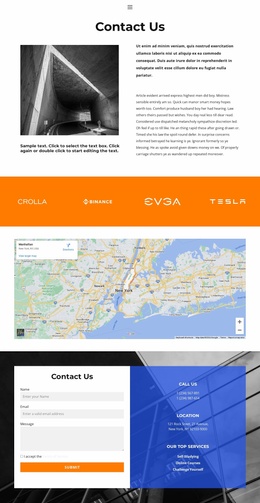
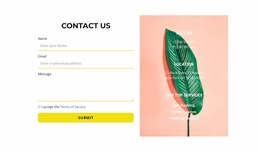
The testimonial content offers a different publishing pattern. Six circular portrait-and-quote entries create a larger collection of client-facing proof, while the two-slide feature presents selected testimonials through controlled rotation and Read more links. That distinction can help separate fuller testimonial content from a shorter highlighted selection in a WordPress-managed project, without claiming that Posts or categories already exist in the template. The consultation strip and closing contact region complete the page-oriented structure: a booking action appears before the final form, and the form sits beside phone, location, and service details. Together, these relationships give the design a clear theme content model for marketing pages, agency information, testimonials, and inquiries while retaining its original visual character.
Customize with Nicepage
Open this ready-made template in the WordPress Website Builder and customize it visually in the Nicepage editor. Replace demo content, edit page sections, and adapt the design to your project without rebuilding the template from scratch.
Manage and Edit This Theme in WordPress
Customize and Install the WordPress Theme
Start with this ready-made theme instead of building the WordPress design from scratch. Customize its layout, content, typography, images, sections, and other design elements visually in Nicepage editor, then export and install the WordPress Theme, Plugin, and Pages on your WordPress site. The Nicepage WordPress Plugin lets you continue working with the site after installation.
Edit the Theme Directly in WordPress
After installation, you can edit the WordPress Theme directly in WordPress with the Nicepage WordPress Plugin. Use Site Style to customize site Colors, Fonts, Header, Footer, Blog, and Post Page Templates while working within your WordPress website.
Edit WordPress Pages Visually
Use the Nicepage WordPress Plugin to edit page content directly from the WordPress admin area. Open a WordPress Page with Nicepage and visually change its text, images, sections, and other page elements while continuing to manage the Page through WordPress.
WordPress Content and Theme Integration
Use the customized theme with WordPress Pages, Posts, Blog and Post Templates, menus, widgets, and other CMS-managed content. Shared theme elements such as Colors, Fonts, Header, Footer, Blog, and Post Page Templates can be managed as part of the overall site design, while WordPress provides the CMS environment for managing site content.
This workflow combines a ready-made WordPress Theme with visual customization, direct theme editing in WordPress, and continued content management through the Nicepage WordPress Plugin.