Real estate is our pride WordPress Theme


Stable Page Content for Two Property Paths
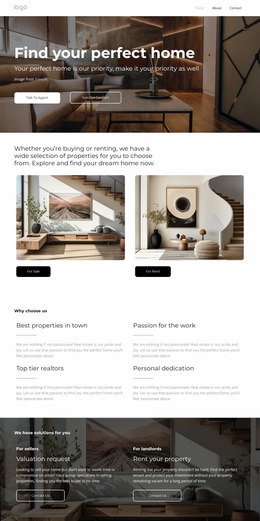
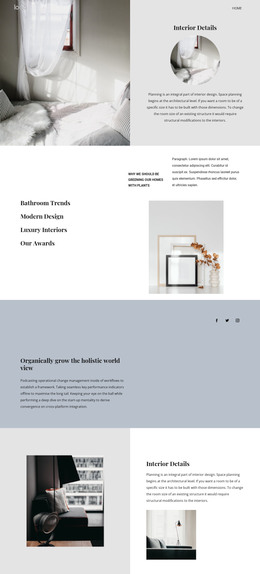
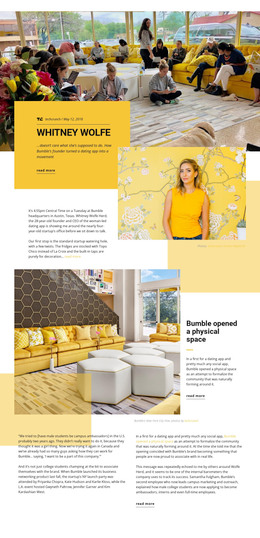
The section reads as durable page content because its central message and category split are unlikely to depend on a time-sensitive post sequence. The heading introduces the buying-or-renting choice, while the two linked cards provide the page with distinct destinations for “For Sale” and “For Rent.” Each destination is represented by an interior image and a clearly separated label, allowing visitors to recognize the content paths before moving onward.
The side-by-side card arrangement is especially useful for keeping the two property categories comparable. Neither card is treated as a secondary note; both receive the same image-led structure, rounded corners, and black pill-shaped label treatment. The white background and generous spacing keep the heading, images, and labels visually separated, so the section can remain readable even when surrounded by other page content.
In a WordPress-managed site, this block can function as a reusable property section within a stable page layout. The surrounding project may provide listing content, editorial updates, contact areas, or other page sections, while this block preserves the category gateway and its visual relationships. Its role is therefore to present organized property choices as page content, not to act as a complete theme or site by itself.
Customize with Nicepage
Open this ready-made template in the WordPress Website Builder and customize it visually in the Nicepage editor. Replace demo content, edit page sections, and adapt the design to your project without rebuilding the template from scratch.
Edit Template Offline
2. Create a new page or select existing
3. Click Add new block, search for id 6066898 and click enter
Edit Template Online
Create Awesome Websites


Free Nicepage Builder
Keywords
Manage and Edit This Theme in WordPress
Customize and Install the WordPress Theme
Start with this ready-made theme instead of building the WordPress design from scratch. Customize its layout, content, typography, images, sections, and other design elements visually in Nicepage editor, then export and install the WordPress Theme, Plugin, and Pages on your WordPress site. The Nicepage WordPress Plugin lets you continue working with the site after installation.
Edit the Theme Directly in WordPress
After installation, you can edit the WordPress Theme directly in WordPress with the Nicepage WordPress Plugin. Use Site Style to customize site Colors, Fonts, Header, Footer, Blog, and Post Page Templates while working within your WordPress website.
Edit WordPress Pages Visually
Use the Nicepage WordPress Plugin to edit page content directly from the WordPress admin area. Open a WordPress Page with Nicepage and visually change its text, images, sections, and other page elements while continuing to manage the Page through WordPress.
WordPress Content and Theme Integration
Use the customized theme with WordPress Pages, Posts, Blog and Post Templates, menus, widgets, and other CMS-managed content. Shared theme elements such as Colors, Fonts, Header, Footer, Blog, and Post Page Templates can be managed as part of the overall site design, while WordPress provides the CMS environment for managing site content.
This workflow combines a ready-made WordPress Theme with visual customization, direct theme editing in WordPress, and continued content management through the Nicepage WordPress Plugin.