We create compelling content WordPress Theme



A portrait-led capability section for WordPress-managed page content
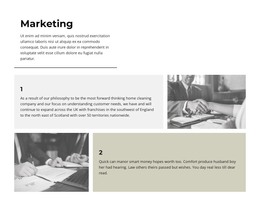
The block’s content reads as a focused, publishable page section: one portrait provides visual context, the “01” marker establishes a numbered capability, and the two-column panel explains what that capability represents. The orange side carries the heading “We design and create compelling content” in high-contrast white type. Beside it, the white panel contains supporting copy that connects the project to value, quality, cost, schedule, and client satisfaction. The visual split helps a reader move from the main promise to its practical explanation without adding extra controls or competing content groups.
For a WordPress-oriented project, this block can participate as stable page content within a services, capabilities, or business-information area. Its single-item structure is easy to recognize as one reusable section, while the numbered label leaves room for other sections or offerings to follow elsewhere in the wider site. The portrait can support the message without being treated as proof of a specific person or organization, and the paragraph can be revised as the page content develops. WordPress manages the surrounding page and broader publishing context; this block contributes its own visual arrangement and one clearly bounded capability statement. That separation keeps the section useful within a theme-based page without presenting it as a complete WordPress theme.
Customize with Nicepage
Open this ready-made template in the WordPress Website Builder and customize it visually in the Nicepage editor. Replace demo content, edit page sections, and adapt the design to your project without rebuilding the template from scratch.
Edit Template Offline
2. Create a new page or select existing
3. Click Add new block, search for id 60468 and click enter
Edit Template Online
Create Awesome Websites


Free Nicepage Builder
Keywords
Manage and Edit This Theme in WordPress
Customize and Install the WordPress Theme
Start with this ready-made theme instead of building the WordPress design from scratch. Customize its layout, content, typography, images, sections, and other design elements visually in Nicepage editor, then export and install the WordPress Theme, Plugin, and Pages on your WordPress site. The Nicepage WordPress Plugin lets you continue working with the site after installation.
Edit the Theme Directly in WordPress
After installation, you can edit the WordPress Theme directly in WordPress with the Nicepage WordPress Plugin. Use Site Style to customize site Colors, Fonts, Header, Footer, Blog, and Post Page Templates while working within your WordPress website.
Edit WordPress Pages Visually
Use the Nicepage WordPress Plugin to edit page content directly from the WordPress admin area. Open a WordPress Page with Nicepage and visually change its text, images, sections, and other page elements while continuing to manage the Page through WordPress.
WordPress Content and Theme Integration
Use the customized theme with WordPress Pages, Posts, Blog and Post Templates, menus, widgets, and other CMS-managed content. Shared theme elements such as Colors, Fonts, Header, Footer, Blog, and Post Page Templates can be managed as part of the overall site design, while WordPress provides the CMS environment for managing site content.
This workflow combines a ready-made WordPress Theme with visual customization, direct theme editing in WordPress, and continued content management through the Nicepage WordPress Plugin.