Design and illustration studio WordPress Theme


Editorial Studio Content in a WordPress-Managed Page
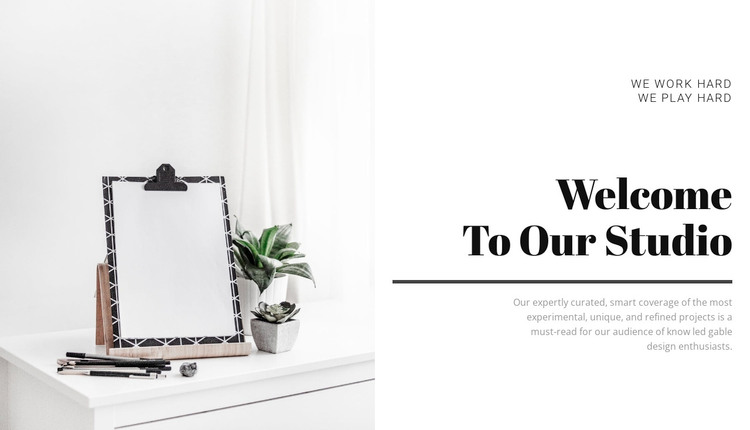
The content model reads as stable introductory page material: a short eyebrow, one prominent heading, explanatory copy, and a supporting interior image. The phrase “WE WORK HARD WE PLAY HARD” provides a compact editorial cue, while “Welcome To Our Studio” identifies the section’s subject. The divider creates a visible boundary before the paragraph describing curated coverage of experimental, unique, and refined projects. Because the image remains separate on the left, the text can carry the explanation without overlaying the visual context.
In a WordPress-oriented project, this block can occupy a permanent studio or about-style content area while the wider site manages additional pages and publishing needs. Its value is the clarity of the content region: visitors encounter the studio statement first, then receive a short explanation beside a relevant interior image. The block does not need to carry the site’s navigation, archive structure, or other page functions to perform that role effectively.
The restrained palette and strong type hierarchy also make the section suitable for maintaining a consistent visual direction around related page content. A project team can adapt the copy and image for the studio’s current presentation while preserving the separation between visual evidence and editorial text. The result is a focused page section that participates in a WordPress-managed site without becoming the entire theme or site structure.
Customize with Nicepage
Open this ready-made template in the WordPress Website Builder and customize it visually in the Nicepage editor. Replace demo content, edit page sections, and adapt the design to your project without rebuilding the template from scratch.
Edit Template Offline
2. Create a new page or select existing
3. Click Add new block, search for id 44087 and click enter
Edit Template Online
Create Awesome Websites


Free Nicepage Builder
Keywords
Manage and Edit This Theme in WordPress
Customize and Install the WordPress Theme
Start with this ready-made theme instead of building the WordPress design from scratch. Customize its layout, content, typography, images, sections, and other design elements visually in Nicepage editor, then export and install the WordPress Theme, Plugin, and Pages on your WordPress site. The Nicepage WordPress Plugin lets you continue working with the site after installation.
Edit the Theme Directly in WordPress
After installation, you can edit the WordPress Theme directly in WordPress with the Nicepage WordPress Plugin. Use Site Style to customize site Colors, Fonts, Header, Footer, Blog, and Post Page Templates while working within your WordPress website.
Edit WordPress Pages Visually
Use the Nicepage WordPress Plugin to edit page content directly from the WordPress admin area. Open a WordPress Page with Nicepage and visually change its text, images, sections, and other page elements while continuing to manage the Page through WordPress.
WordPress Content and Theme Integration
Use the customized theme with WordPress Pages, Posts, Blog and Post Templates, menus, widgets, and other CMS-managed content. Shared theme elements such as Colors, Fonts, Header, Footer, Blog, and Post Page Templates can be managed as part of the overall site design, while WordPress provides the CMS environment for managing site content.
This workflow combines a ready-made WordPress Theme with visual customization, direct theme editing in WordPress, and continued content management through the Nicepage WordPress Plugin.