Work from home survey WordPress Theme


Structured Survey Content Fits a WordPress Page Section
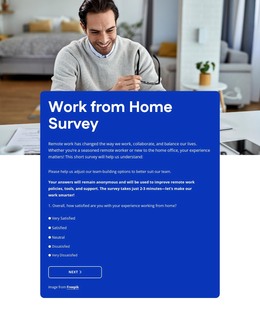
The heading and introductory copy make this block read as stable page content centered on a work-from-home survey. The four-step sequence then organizes the actual response task: the first step asks about satisfaction with working from home, while radio buttons, checkbox groups, a select control, textareas, and name inputs capture different forms of feedback. Next and Back actions connect the steps, and Submit provides the visible completion point. This gives the section a defined content and interaction role that can sit within a WordPress-managed page.
The visual treatment keeps that role distinct. A full-width photograph of a person working at home establishes context, while the overlapping rounded blue card contains the editable survey material and maintains strong contrast for the white typography and controls. In a WordPress Theme context, the block can function as permanent page content surrounded by other site-managed sections, such as an introduction, research summary, or contact area. The CMS context concerns the wider page and publishing environment; it does not change the block into a standalone theme. Nicepage documents a WordPress Theme, Plugin, and Pages workflow for broader projects, while this section remains the specific survey region with its own image, question groups, navigation, and submission action.
Customize with Nicepage
Open this ready-made template in the WordPress Website Builder and customize it visually in the Nicepage editor. Replace demo content, edit page sections, and adapt the design to your project without rebuilding the template from scratch.
Edit Template Offline
2. Create a new page or select existing
3. Click Add new block, search for id 6537406 and click enter
Edit Template Online
Create Awesome Websites


Free Nicepage Builder
Keywords
Manage and Edit This Theme in WordPress
Customize and Install the WordPress Theme
Start with this ready-made theme instead of building the WordPress design from scratch. Customize its layout, content, typography, images, sections, and other design elements visually in Nicepage editor, then export and install the WordPress Theme, Plugin, and Pages on your WordPress site. The Nicepage WordPress Plugin lets you continue working with the site after installation.
Edit the Theme Directly in WordPress
After installation, you can edit the WordPress Theme directly in WordPress with the Nicepage WordPress Plugin. Use Site Style to customize site Colors, Fonts, Header, Footer, Blog, and Post Page Templates while working within your WordPress website.
Edit WordPress Pages Visually
Use the Nicepage WordPress Plugin to edit page content directly from the WordPress admin area. Open a WordPress Page with Nicepage and visually change its text, images, sections, and other page elements while continuing to manage the Page through WordPress.
WordPress Content and Theme Integration
Use the customized theme with WordPress Pages, Posts, Blog and Post Templates, menus, widgets, and other CMS-managed content. Shared theme elements such as Colors, Fonts, Header, Footer, Blog, and Post Page Templates can be managed as part of the overall site design, while WordPress provides the CMS environment for managing site content.
This workflow combines a ready-made WordPress Theme with visual customization, direct theme editing in WordPress, and continued content management through the Nicepage WordPress Plugin.