Keep your freedom WordPress Theme


A Stable Travel Message for WordPress Page Content
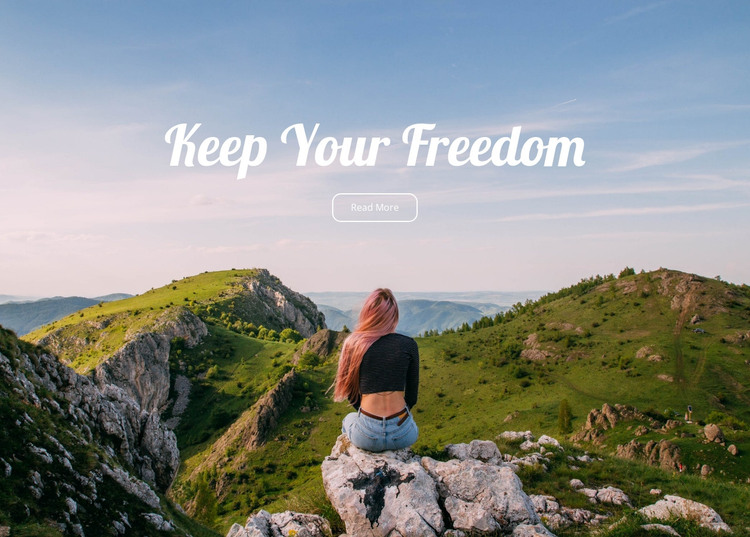
The centered “Keep Your Freedom” heading and the single Read More button form a stable content unit over the full-width mountain image. The seated person gives the landscape a distinct human point of focus, while the white script lettering creates contrast against the blue, pink, and green scenery. Because the button sits immediately beneath the heading, the block reads as a concise introduction followed by one route into related information rather than as a collection of separate page elements.
In a WordPress-managed project, this arrangement can function as permanent visual content on a travel-oriented page. The section may introduce an outdoor theme or invite visitors to continue to a more detailed area, while the wider project manages the rest of the page content around it. The block does not need to contain editorial lists, categories, or multiple content records to perform this role; its value lies in presenting one clear message with an associated action.
The static interaction also keeps its behavior predictable. Content teams can preserve the centered relationship between the title, button, and image while surrounding sections evolve independently. If the page later includes destination details, image collections, or contact information, those areas can follow the hero without forcing this compact section to absorb functions it was not designed to contain. Its white outlined button and script heading remain the defining cues for the travel introduction.
Customize with Nicepage
Open this ready-made template in the WordPress Website Builder and customize it visually in the Nicepage editor. Replace demo content, edit page sections, and adapt the design to your project without rebuilding the template from scratch.
Edit Template Offline
2. Create a new page or select existing
3. Click Add new block, search for id 50974 and click enter
Edit Template Online
Create Awesome Websites


Free Nicepage Builder
Keywords
Manage and Edit This Theme in WordPress
Customize and Install the WordPress Theme
Start with this ready-made theme instead of building the WordPress design from scratch. Customize its layout, content, typography, images, sections, and other design elements visually in Nicepage editor, then export and install the WordPress Theme, Plugin, and Pages on your WordPress site. The Nicepage WordPress Plugin lets you continue working with the site after installation.
Edit the Theme Directly in WordPress
After installation, you can edit the WordPress Theme directly in WordPress with the Nicepage WordPress Plugin. Use Site Style to customize site Colors, Fonts, Header, Footer, Blog, and Post Page Templates while working within your WordPress website.
Edit WordPress Pages Visually
Use the Nicepage WordPress Plugin to edit page content directly from the WordPress admin area. Open a WordPress Page with Nicepage and visually change its text, images, sections, and other page elements while continuing to manage the Page through WordPress.
WordPress Content and Theme Integration
Use the customized theme with WordPress Pages, Posts, Blog and Post Templates, menus, widgets, and other CMS-managed content. Shared theme elements such as Colors, Fonts, Header, Footer, Blog, and Post Page Templates can be managed as part of the overall site design, while WordPress provides the CMS environment for managing site content.
This workflow combines a ready-made WordPress Theme with visual customization, direct theme editing in WordPress, and continued content management through the Nicepage WordPress Plugin.