Here is a company of thinkers, writers, designers WordPress Theme



Edit Template Offline
2. Create new page and search for id 4735098
Edit Template Online
Create Awesome Websites


Free Nicepage Builder
Keywords
Portfolio and Service Content That Fits a WordPress Theme Structure
The eight-card portfolio gallery is the strongest editorial content area in this design. Repeated labels such as Brand Campaign, Corporate Identity, Web Design Website, and Flyer design separate the work into recognizable project themes, while the consistent card treatment keeps those entries visually related. In a WordPress-managed project, this area can provide a coherent presentation for page-based project content or future regularly updated material, without claiming that posts or categories are already present in the template.
The four primary service cards establish a second content group, led by the Development & SEO section. The neighboring lists add further subjects—visual, verbal, motion, and sonic identity, naming, prototyping, app development, and graphic design—so the theme can accommodate both a concise services overview and more detailed explanatory content. The collaboration statement gives the agency’s approach a distinct editorial position rather than leaving the page as a simple catalog.
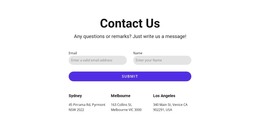
A five-logo client strip supplies a separate supporting proof area, and the website support section introduces a continuing service that differs from project-based creative work. Contact details, social links, and the final inquiry form then create a practical closing region. Together, these areas provide a WordPress-oriented content framework in which permanent agency information and expandable project material can share one visual system.
Customize with Nicepage
Open this ready-made template in the WordPress Website Builder and customize it visually in the Nicepage editor. Replace demo content, edit page sections, and adapt the design to your project without rebuilding the template from scratch.
Manage and Edit This Theme in WordPress
Customize and Install the WordPress Theme
Start with this ready-made theme instead of building the WordPress design from scratch. Customize its layout, content, typography, images, sections, and other design elements visually in Nicepage editor, then export and install the WordPress Theme, Plugin, and Pages on your WordPress site. The Nicepage WordPress Plugin lets you continue working with the site after installation.
Edit the Theme Directly in WordPress
After installation, you can edit the WordPress Theme directly in WordPress with the Nicepage WordPress Plugin. Use Site Style to customize site Colors, Fonts, Header, Footer, Blog, and Post Page Templates while working within your WordPress website.
Edit WordPress Pages Visually
Use the Nicepage WordPress Plugin to edit page content directly from the WordPress admin area. Open a WordPress Page with Nicepage and visually change its text, images, sections, and other page elements while continuing to manage the Page through WordPress.
WordPress Content and Theme Integration
Use the customized theme with WordPress Pages, Posts, Blog and Post Templates, menus, widgets, and other CMS-managed content. Shared theme elements such as Colors, Fonts, Header, Footer, Blog, and Post Page Templates can be managed as part of the overall site design, while WordPress provides the CMS environment for managing site content.
This workflow combines a ready-made WordPress Theme with visual customization, direct theme editing in WordPress, and continued content management through the Nicepage WordPress Plugin.