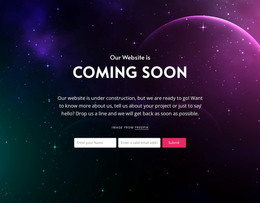
It all starts with idea WordPress Theme



The firm-introduction panel fits stable WordPress page content
The section’s content reads as a stable company introduction: a black-and-white photograph establishes the setting, the “about consulting firm” label identifies the subject, and the bold heading presents the statement about framework agreements with large and medium-sized players. Beneath it, a supporting contact line keeps a phone number and the email and facebook links in the same visual field. The pale green panel gives these page-content elements a clear container, while the dark monochrome pattern around it separates the section from adjacent material.
For a WordPress-managed project, this makes the block suitable for a permanent about or firm-introduction area on a page. The content can remain visually consistent while the wider site adds other publishable sections around it, such as service explanations, company background, or project information. The arrangement does not depend on blog-style repetition; its purpose is to communicate a relatively fixed identity and provide visible contact routes.
The centered structure also supports straightforward content maintenance. A contributor can identify the heading, supporting contact line, and linked destinations as one compact information group, while the photograph continues to carry the visual emphasis above it. Since the interaction is static, the block works as a dependable content region rather than an interactive application. Its WordPress interpretation is therefore about placing this consulting message within managed page content, not treating the section itself as a standalone theme.
Customize with Nicepage
Open this ready-made template in the WordPress Website Builder and customize it visually in the Nicepage editor. Replace demo content, edit page sections, and adapt the design to your project without rebuilding the template from scratch.
Edit Template Offline
2. Create a new page or select existing
3. Click Add new block, search for id 460806 and click enter
Edit Template Online
Create Awesome Websites


Free Nicepage Builder
Keywords
Manage and Edit This Theme in WordPress
Customize and Install the WordPress Theme
Start with this ready-made theme instead of building the WordPress design from scratch. Customize its layout, content, typography, images, sections, and other design elements visually in Nicepage editor, then export and install the WordPress Theme, Plugin, and Pages on your WordPress site. The Nicepage WordPress Plugin lets you continue working with the site after installation.
Edit the Theme Directly in WordPress
After installation, you can edit the WordPress Theme directly in WordPress with the Nicepage WordPress Plugin. Use Site Style to customize site Colors, Fonts, Header, Footer, Blog, and Post Page Templates while working within your WordPress website.
Edit WordPress Pages Visually
Use the Nicepage WordPress Plugin to edit page content directly from the WordPress admin area. Open a WordPress Page with Nicepage and visually change its text, images, sections, and other page elements while continuing to manage the Page through WordPress.
WordPress Content and Theme Integration
Use the customized theme with WordPress Pages, Posts, Blog and Post Templates, menus, widgets, and other CMS-managed content. Shared theme elements such as Colors, Fonts, Header, Footer, Blog, and Post Page Templates can be managed as part of the overall site design, while WordPress provides the CMS environment for managing site content.
This workflow combines a ready-made WordPress Theme with visual customization, direct theme editing in WordPress, and continued content management through the Nicepage WordPress Plugin.