We offer multiple services WordPress Theme


Four Client-Fit Cards Create Stable WordPress Page Content
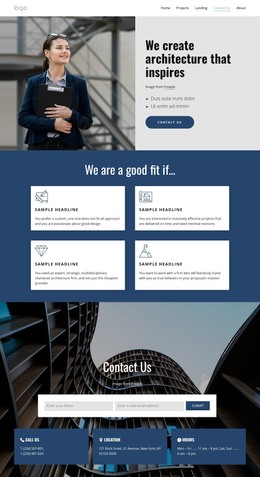
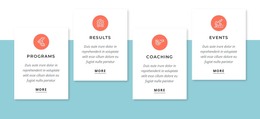
The heading “We are a good fit if...” introduces a compact qualification section that can sit within a WordPress-managed page. Four white cards follow in a two-column, two-row grid, and each card uses the same sequence: an icon introduces the idea, a heading identifies the criterion, and a paragraph explains it. This makes the section suitable for stable service or capability content rather than a stream of time-sensitive entries.
The card descriptions give the content a distinct editorial structure. They address a custom, one-size-does-not-fit-all approach, timely project delivery with minimal revisions, multidisciplinary architecture expertise, and commitment to a proposal’s mission. These themes can be maintained as a coherent page section while other WordPress-managed content handles deeper service information, project examples, or contact details around it. The sample wording should be adapted to the actual organization before publication.
The dark blue background and consistent white card treatment preserve the block’s visual identity as content is placed in the wider site. A WordPress-oriented project can use this section as a reusable page-content area without treating it as a complete theme. Its practical role is to present four comparable reasons in one controlled layout, giving visitors a clear way to assess fit while leaving site-wide templates, navigation, and additional content to the surrounding project.
Customize with Nicepage
Open this ready-made template in the WordPress Website Builder and customize it visually in the Nicepage editor. Replace demo content, edit page sections, and adapt the design to your project without rebuilding the template from scratch.
Edit Template Offline
2. Create a new page or select existing
3. Click Add new block, search for id 4464085 and click enter
Edit Template Online
Create Awesome Websites


Free Nicepage Builder
Keywords
Manage and Edit This Theme in WordPress
Customize and Install the WordPress Theme
Start with this ready-made theme instead of building the WordPress design from scratch. Customize its layout, content, typography, images, sections, and other design elements visually in Nicepage editor, then export and install the WordPress Theme, Plugin, and Pages on your WordPress site. The Nicepage WordPress Plugin lets you continue working with the site after installation.
Edit the Theme Directly in WordPress
After installation, you can edit the WordPress Theme directly in WordPress with the Nicepage WordPress Plugin. Use Site Style to customize site Colors, Fonts, Header, Footer, Blog, and Post Page Templates while working within your WordPress website.
Edit WordPress Pages Visually
Use the Nicepage WordPress Plugin to edit page content directly from the WordPress admin area. Open a WordPress Page with Nicepage and visually change its text, images, sections, and other page elements while continuing to manage the Page through WordPress.
WordPress Content and Theme Integration
Use the customized theme with WordPress Pages, Posts, Blog and Post Templates, menus, widgets, and other CMS-managed content. Shared theme elements such as Colors, Fonts, Header, Footer, Blog, and Post Page Templates can be managed as part of the overall site design, while WordPress provides the CMS environment for managing site content.
This workflow combines a ready-made WordPress Theme with visual customization, direct theme editing in WordPress, and continued content management through the Nicepage WordPress Plugin.