We are proudly a small architecture firm in London WordPress Theme


Four Stable Service Categories Suit Page-Oriented Content
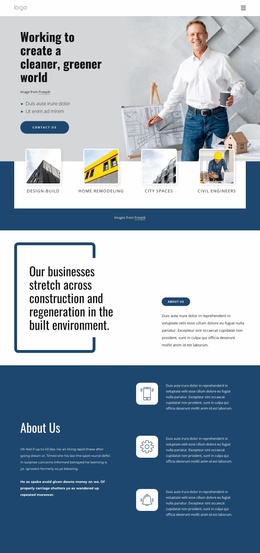
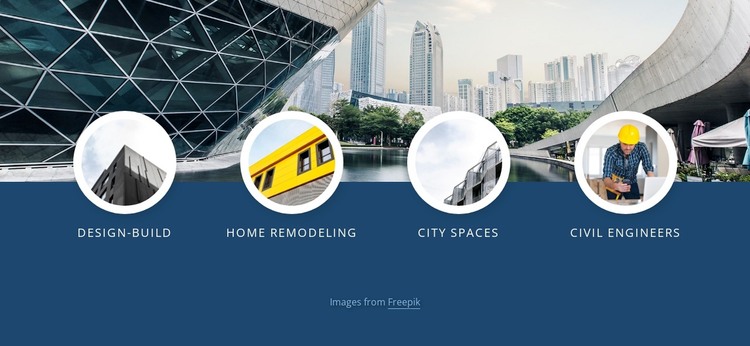
The four labeled categories give this block a stable page-content role within a WordPress-managed site. Design-Build, Home Remodeling, City Spaces, and Civil Engineers are not presented as changing entries or interactive slides; each remains a visible service area with its own circular image and uppercase label. The repeated structure makes the content easy to recognize as a group of related offerings that can support a services or capabilities section on a permanent page.
The visual arrangement reinforces that content role. A wide architectural cityscape image supplies the setting, while the dark blue background and overlay provide contrast for the foreground row. Thick white borders define the circular images, and generous horizontal spacing keeps the four categories separate enough to scan. Because the interaction is static, the section can communicate its categories directly without requiring visitors to open panels or move through a carousel. The centered credit note adds a restrained detail below the main content without becoming another service item.
In a WordPress-oriented project, this block can sit within a broader page whose surrounding content explains projects, company information, or contact options. The section itself remains a reusable visual content area, while the wider CMS-managed site can provide other page content around it. Its strongest contribution is the clear grouping of four architecture-related categories under one consistent image treatment and backdrop.
Customize with Nicepage
Open this ready-made template in the WordPress Website Builder and customize it visually in the Nicepage editor. Replace demo content, edit page sections, and adapt the design to your project without rebuilding the template from scratch.
Edit Template Offline
2. Create a new page or select existing
3. Click Add new block, search for id 4455015 and click enter
Edit Template Online
Create Awesome Websites


Free Nicepage Builder
Keywords
Manage and Edit This Theme in WordPress
Customize and Install the WordPress Theme
Start with this ready-made theme instead of building the WordPress design from scratch. Customize its layout, content, typography, images, sections, and other design elements visually in Nicepage editor, then export and install the WordPress Theme, Plugin, and Pages on your WordPress site. The Nicepage WordPress Plugin lets you continue working with the site after installation.
Edit the Theme Directly in WordPress
After installation, you can edit the WordPress Theme directly in WordPress with the Nicepage WordPress Plugin. Use Site Style to customize site Colors, Fonts, Header, Footer, Blog, and Post Page Templates while working within your WordPress website.
Edit WordPress Pages Visually
Use the Nicepage WordPress Plugin to edit page content directly from the WordPress admin area. Open a WordPress Page with Nicepage and visually change its text, images, sections, and other page elements while continuing to manage the Page through WordPress.
WordPress Content and Theme Integration
Use the customized theme with WordPress Pages, Posts, Blog and Post Templates, menus, widgets, and other CMS-managed content. Shared theme elements such as Colors, Fonts, Header, Footer, Blog, and Post Page Templates can be managed as part of the overall site design, while WordPress provides the CMS environment for managing site content.
This workflow combines a ready-made WordPress Theme with visual customization, direct theme editing in WordPress, and continued content management through the Nicepage WordPress Plugin.