Comprehensive level WordPress Theme


A Two-by-Two Card Group Supports Stable Page Content
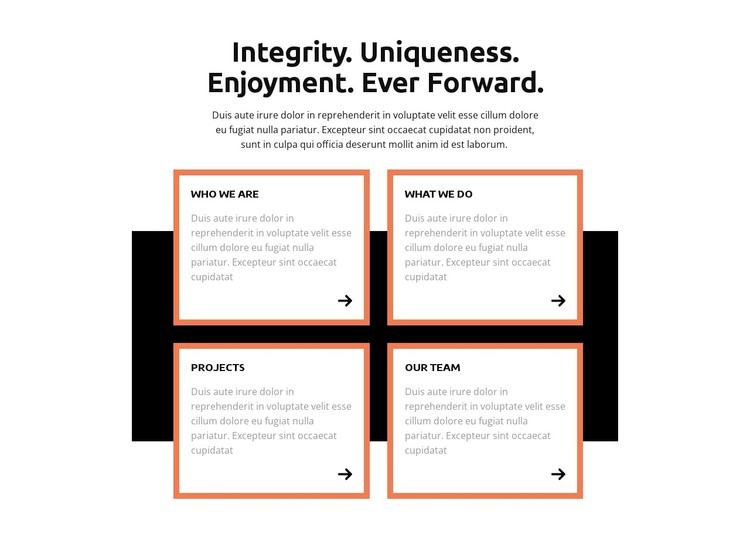
The section reads as permanent overview content rather than a time-sensitive listing. Its centered statement, “Integrity. Uniqueness. Enjoyment. Ever Forward.”, introduces four labeled areas that can sit together on a WordPress-managed page: Who We Are, What We Do, Projects, and Our Team. Each label gives a reader a clear expectation for the short descriptive paragraph beneath it, so the section can summarize an organization before visitors move to more detailed content elsewhere.
The repeated card structure is the main organizing device. Four equal units are arranged in two rows and two columns, and every card includes a directional icon alongside its text. This consistency keeps the content categories comparable while preventing one overview area from visually dominating the others. The black horizontal rectangle behind the cards creates a shared backdrop, and the thick orange borders frame the white cards as separate but related pieces of page content.
For a WordPress-oriented project, the block can serve as a stable section on an organizational or company page while the wider site manages additional content around it. The design does not depend on a carousel, tabs, or other changing interaction; visitors can scan all four categories in one view. That makes the section useful when the goal is to present a concise, repeatable overview pattern that remains visually coherent as the surrounding page grows.
Customize with Nicepage
Open this ready-made template in the WordPress Website Builder and customize it visually in the Nicepage editor. Replace demo content, edit page sections, and adapt the design to your project without rebuilding the template from scratch.
Edit Template Offline
2. Create a new page or select existing
3. Click Add new block, search for id 4007557 and click enter
Edit Template Online
Create Awesome Websites


Free Nicepage Builder
Keywords
Manage and Edit This Theme in WordPress
Customize and Install the WordPress Theme
Start with this ready-made theme instead of building the WordPress design from scratch. Customize its layout, content, typography, images, sections, and other design elements visually in Nicepage editor, then export and install the WordPress Theme, Plugin, and Pages on your WordPress site. The Nicepage WordPress Plugin lets you continue working with the site after installation.
Edit the Theme Directly in WordPress
After installation, you can edit the WordPress Theme directly in WordPress with the Nicepage WordPress Plugin. Use Site Style to customize site Colors, Fonts, Header, Footer, Blog, and Post Page Templates while working within your WordPress website.
Edit WordPress Pages Visually
Use the Nicepage WordPress Plugin to edit page content directly from the WordPress admin area. Open a WordPress Page with Nicepage and visually change its text, images, sections, and other page elements while continuing to manage the Page through WordPress.
WordPress Content and Theme Integration
Use the customized theme with WordPress Pages, Posts, Blog and Post Templates, menus, widgets, and other CMS-managed content. Shared theme elements such as Colors, Fonts, Header, Footer, Blog, and Post Page Templates can be managed as part of the overall site design, while WordPress provides the CMS environment for managing site content.
This workflow combines a ready-made WordPress Theme with visual customization, direct theme editing in WordPress, and continued content management through the Nicepage WordPress Plugin.