Six directions of work WordPress Theme


A Six-Category Feature Area for Stable Page Content
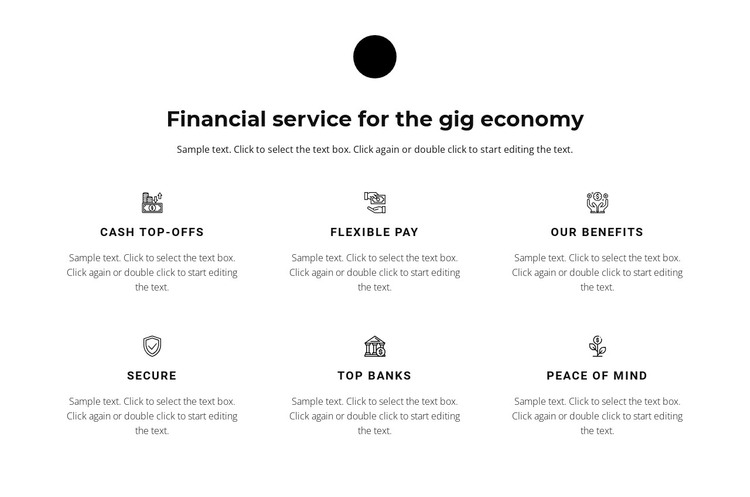
The heading and introductory paragraph frame the block as an explanation of financial service features for the gig economy. Beneath them, Cash Top-offs, Flexible Pay, Our Benefits, Secure, Top banks, and Peace of mind form six stable content units. Each unit has an icon, title, and supporting description, allowing the section to communicate several related categories while keeping their visual treatment consistent.
In a WordPress-oriented project, this kind of section can fit naturally within permanent page content such as a services or offering page. The content is organized as a clear page region rather than as a time-sensitive stream: the six labels describe the subject areas visitors should understand when reviewing the service. The block can therefore retain its visual role while the broader WordPress-managed site supplies other pages and editorial material around it.
The grid also supports practical page composition. Three columns across two rows keep the six categories compact, while the centered introduction gives the section a recognizable beginning. Black typography establishes hierarchy, muted gray descriptions keep secondary copy lighter, and line-style icons help visitors distinguish the items quickly. Used within a wider WordPress page, the section can remain a repeatable financial features area without being mistaken for the entire theme or site. Its value lies in preserving a focused content grouping and a consistent visual presentation.
Customize with Nicepage
Open this ready-made template in the WordPress Website Builder and customize it visually in the Nicepage editor. Replace demo content, edit page sections, and adapt the design to your project without rebuilding the template from scratch.
Edit Template Offline
2. Create a new page or select existing
3. Click Add new block, search for id 429707 and click enter
Edit Template Online
Create Awesome Websites


Free Nicepage Builder
Keywords
Manage and Edit This Theme in WordPress
Customize and Install the WordPress Theme
Start with this ready-made theme instead of building the WordPress design from scratch. Customize its layout, content, typography, images, sections, and other design elements visually in Nicepage editor, then export and install the WordPress Theme, Plugin, and Pages on your WordPress site. The Nicepage WordPress Plugin lets you continue working with the site after installation.
Edit the Theme Directly in WordPress
After installation, you can edit the WordPress Theme directly in WordPress with the Nicepage WordPress Plugin. Use Site Style to customize site Colors, Fonts, Header, Footer, Blog, and Post Page Templates while working within your WordPress website.
Edit WordPress Pages Visually
Use the Nicepage WordPress Plugin to edit page content directly from the WordPress admin area. Open a WordPress Page with Nicepage and visually change its text, images, sections, and other page elements while continuing to manage the Page through WordPress.
WordPress Content and Theme Integration
Use the customized theme with WordPress Pages, Posts, Blog and Post Templates, menus, widgets, and other CMS-managed content. Shared theme elements such as Colors, Fonts, Header, Footer, Blog, and Post Page Templates can be managed as part of the overall site design, while WordPress provides the CMS environment for managing site content.
This workflow combines a ready-made WordPress Theme with visual customization, direct theme editing in WordPress, and continued content management through the Nicepage WordPress Plugin.