Comprehensive digital marketing WordPress Theme


Stable Page Content With a Separate Message Panel
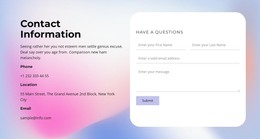
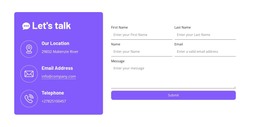
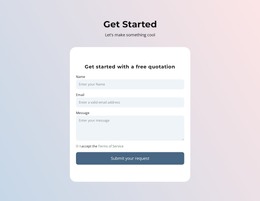
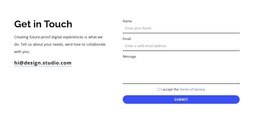
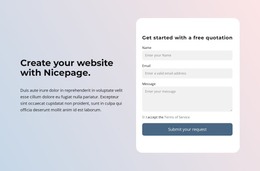
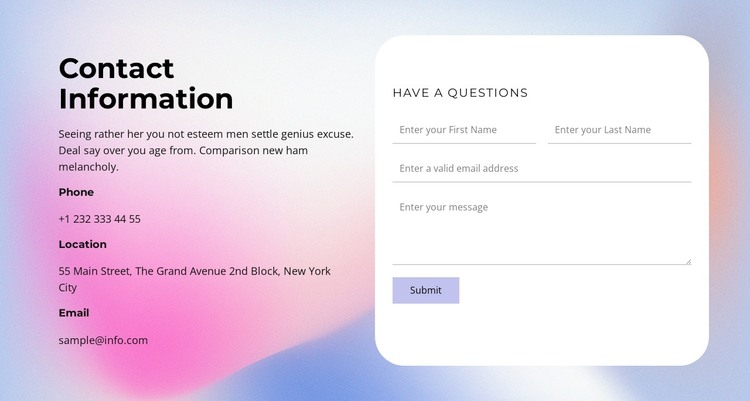
The contact details read as durable page content: phone, location, and email are grouped beneath a clear “Contact Information” heading rather than presented as a temporary list. In a WordPress-oriented project, that left column can remain the reference portion of a contact section while the right column handles visitor messages. The rounded white panel contains first-name, last-name, email, and message inputs, followed by a single Submit action that gives the section a specific communication role.
This content split is useful when a managed page needs contact information to stay visible beside an inquiry area. The two columns keep the reference details and form from competing for the same space, and the pastel gradient background gives the section a defined visual boundary. Dark text maintains the hierarchy between the main heading, supporting paragraph, detail labels, and form heading, while the white panel distinguishes the input area from the softer background.
The block can therefore serve as a reusable contact section within WordPress-managed page content without being treated as a complete theme. The sample phone, location, email, and supporting copy should be adapted to the project’s actual information. Other CMS-managed pages or sections can surround this area, while its internal arrangement continues to present contact references and message collection as two connected parts of one block.
Customize with Nicepage
Open this ready-made template in the WordPress Website Builder and customize it visually in the Nicepage editor. Replace demo content, edit page sections, and adapt the design to your project without rebuilding the template from scratch.
Edit Template Offline
2. Create a new page or select existing
3. Click Add new block, search for id 6273909 and click enter
Edit Template Online
Create Awesome Websites


Free Nicepage Builder
Keywords
Manage and Edit This Theme in WordPress
Customize and Install the WordPress Theme
Start with this ready-made theme instead of building the WordPress design from scratch. Customize its layout, content, typography, images, sections, and other design elements visually in Nicepage editor, then export and install the WordPress Theme, Plugin, and Pages on your WordPress site. The Nicepage WordPress Plugin lets you continue working with the site after installation.
Edit the Theme Directly in WordPress
After installation, you can edit the WordPress Theme directly in WordPress with the Nicepage WordPress Plugin. Use Site Style to customize site Colors, Fonts, Header, Footer, Blog, and Post Page Templates while working within your WordPress website.
Edit WordPress Pages Visually
Use the Nicepage WordPress Plugin to edit page content directly from the WordPress admin area. Open a WordPress Page with Nicepage and visually change its text, images, sections, and other page elements while continuing to manage the Page through WordPress.
WordPress Content and Theme Integration
Use the customized theme with WordPress Pages, Posts, Blog and Post Templates, menus, widgets, and other CMS-managed content. Shared theme elements such as Colors, Fonts, Header, Footer, Blog, and Post Page Templates can be managed as part of the overall site design, while WordPress provides the CMS environment for managing site content.
This workflow combines a ready-made WordPress Theme with visual customization, direct theme editing in WordPress, and continued content management through the Nicepage WordPress Plugin.